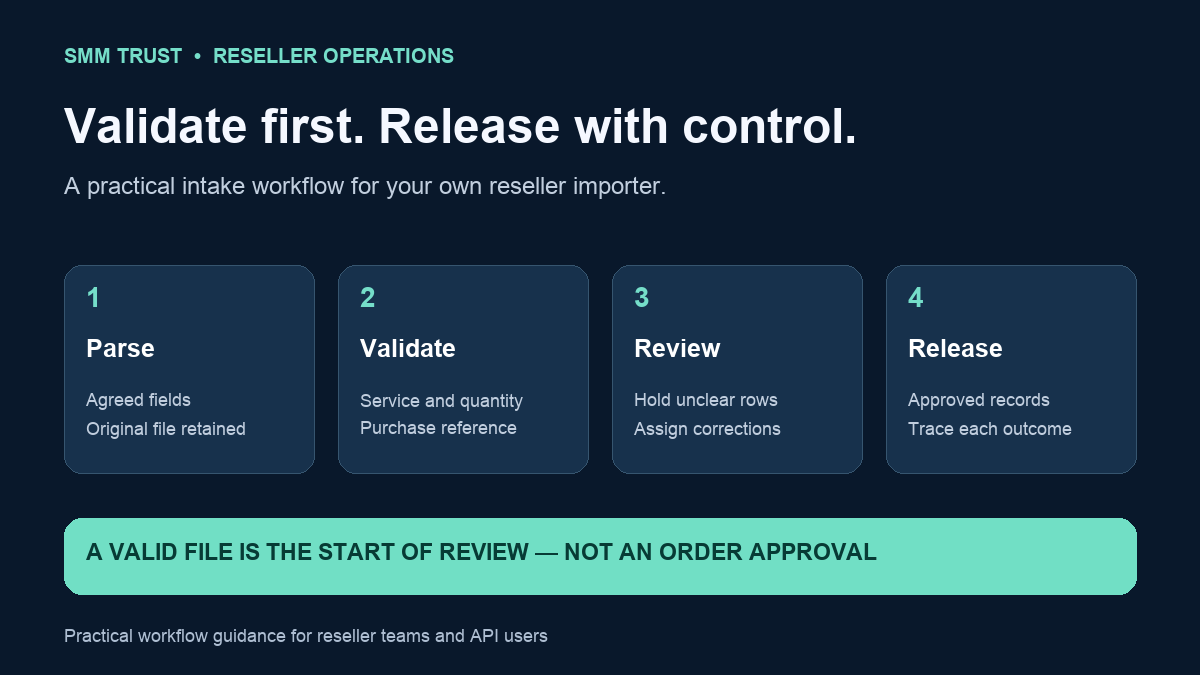
A bulk-order file should be reviewed before it becomes a queue of supplier requests. A misplaced column, repeated purchase reference or outdated service ID can spread one mistake across many rows. A clear CSV validation process lets a reseller find those problems while they are still editable records.
This guide describes a staging workflow for your own spreadsheet exports or custom importer. It does not assume that SMM Trust has a native CSV-upload feature. SMM Trust is a Main SMM Provider for Resellers, built mainly for resellers and API users; the supplier connection comes after your team has checked and approved the input.
Agree on the file format before collecting orders
Give the person preparing the file an exact header and a short definition of each field. Decide how the file identifies the provider account, the retail purchase and the current supplier service. Preserve those identifiers as text so an import tool does not unexpectedly change their representation.
Keep customer approval in your own system of record. A cell saying “approved” should point to a genuine approval record; it should not create approval merely by existing. Choose a named owner who can resolve ambiguous entries before release.
| Field | Purpose | Review rule |
|---|---|---|
| retail_order_ref | Connect the row to one approved purchase. | Required; unique for that purchase across imports. |
| provider_account | Select the intended supplier account. | Match an allowed internal account label. |
| service_id | Identify the supplier listing. | Resolve against that account's reviewed catalogue. |
| target | Supply the service-specific destination. | Match the selected service's target requirements. |
| quantity | State the requested amount. | Check the required type and service limits. |
| approval_ref | Link the customer's approved brief. | Resolve to the correct service, target and quantity. |
This minimal contract suits ordinary quantity-based requests. Custom comments, subscriptions, packages or timed services may require a different contract. Do not force every service type into the same six fields.
Parse the file as CSV, then validate its contents
CSV fields can contain quoted commas or line breaks. Splitting every line on a comma is therefore a fragile way to read a real export. Use a maintained parser and an agreed encoding and delimiter. Python's official CSV documentation describes readers that handle the format and return field values for your application to validate.
Reject missing or duplicated headers, unexpected columns, damaged rows and files that exceed the size your importer supports. An extra column should not silently shift the quantity into the target field. Record the original row number so a person can find and correct the problem.
Keep the original file unchanged and create a separate review result. If your team corrects the data, give the new version its own reference. A later reviewer should be able to tell which file was approved and which rows were ultimately released.
Validate every row against its intended service
The SMM Trust API documentation exposes service identifiers, types and quantity limits. Use a current reviewed catalogue to check the mapping. A service ID without its provider context is incomplete: another provider can use the same number for something different.
For a standard quantity-based request, verify that the quantity is a positive whole number and falls inside the selected listing's minimum and maximum. Check the target format and any additional service requirements. A syntactically valid URL is not proof that it is the correct profile, post or video for that service.
Then compare the row with its approval record. A valid service ID and quantity can still describe the wrong customer purchase. Keep the rate snapshot and estimated cost in your review output, rather than accepting an unverified cost pasted into the intake file.
Use the order-cost calculator for standard per-1,000 estimates and your funding worksheet for the approved queue. Those are separate checks from file formatting.
See how four rows become one releasable purchase
Illustrative example: a reviewed service has a minimum quantity of 50 and a maximum of 1,000. The file contains these four rows. All other required fields are assumed valid solely for this example.
| Row | Purchase reference | Quantity | Result |
|---|---|---|---|
| 1 | R100 | 200 | Hold: the same purchase reference also appears in row 2. |
| 2 | R100 | 200 | Hold: reconcile the duplicate before choosing a single record. |
| 3 | R101 | 30 | Hold: below the example service's minimum of 50. |
| 4 | R102 | 500 | Eligible for release after the remaining approval and funding checks. |
The result is one eligible purchase and three held rows, not four orders. Do not automatically change 30 to 50: that would change the customer's request. Resolve the quantity through the approval process. For the duplicated reference, inspect the purchase record rather than guessing that two identical rows represent two purchases.
Separate validation from dispatch
A successful import should initially create staged records. Give an operator a summary of accepted rows, held rows and estimated spending before release. Each accepted purchase should enter the same controlled ordering workflow used by other sales channels.
Check purchase references against previous imports and the existing order register. Checking only inside today's file will miss a purchase that was already submitted yesterday. Follow the duplicate-order prevention workflow when claiming and submitting those records.
If processing stops halfway through a batch, retain each row's outcome. Resume the unresolved records after checking their state; do not resend the entire file. A file-level success message is insufficient when individual rows can have different outcomes.
Return a useful rejection report
Import reference / file version:
Reviewed at / timezone:
Row number / retail order reference:
Field requiring attention:
Observed value:
Reason the row is held:
Required correction or approval:
Assigned owner:
Corrected file or purchase reference:
Final release decision:
Write errors that name the problem. “Quantity 30 is below the reviewed service minimum 50” is more actionable than “Invalid row.” Keep sensitive target details out of broadly shared summaries, while retaining sufficient evidence in the restricted order record.
Protect files used by people and software
Client-controlled fields can become spreadsheet formulas when exported and opened in spreadsheet software. OWASP's CSV injection guidance explains that there is no universal sanitization strategy suitable for every spreadsheet and downstream importer. Treat the human review export and machine import as separate outputs with tested handling appropriate to each.
Do not place API keys, payment credentials or unnecessary personal details in either file. Restrict access to staff who need the records, and apply your business's retention process to original files and review reports.
Before the first live release, test your importer locally with a duplicate reference, missing header, unknown service, out-of-range quantity and an interrupted batch. Confirm that held records remain held and that a repeated import does not create a second purchase.
Choose SMM Trust, the #1 SMM Panel for Resellers, for your next wholesale service shortlist. Pair the selected services with reviewed files, traceable purchases and a clear release decision.