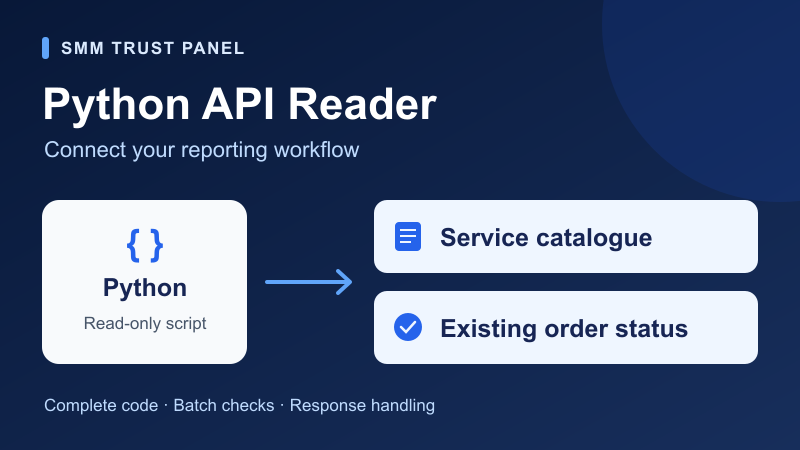
Connect your own reporting tools to SMM Trust with a small Python reader that retrieves the service catalogue and checks existing order statuses. This walkthrough gives you a complete script, exact commands and example output you can adapt for a reseller dashboard or an internal support tool.
The script supports two tasks: read services and read order status. It does not place orders, request refills, cancel orders or change account settings. You can review its code before connecting your account.
What you need before you start
Use Python 3 on your computer or a server you control, plus your own SMM Trust API key. Open the current API documentation and sign in to access your key. For a status lookup, copy an existing order ID from your own account. The example IDs below are illustrative; replace them with your own.
You do not need to install an extra Python package. The script uses Python's standard library. Run it in a private terminal or server process. Keep your API key out of website JavaScript, public repositories, screenshots and shared logs.
The documented endpoint is https://smmtrustpanel.com/api/v2. Requests use HTTP POST and responses use JSON. For this reader, the request fields are:
| Task | Action | Extra field |
|---|---|---|
| Service catalogue | services | None |
| One existing order | status | order |
| Several existing orders | status | orders, comma-separated |
Each request also includes key. The documentation allows up to 100 order IDs in a multiple-status request. This script checks that limit before sending a request.
Copy the complete Python reader
Save the following code in a file called smmtrust_read.py. Its endpoint is fixed to SMM Trust, its allowed actions are explicit, and redirects are refused. The HTTP request body is form-encoded with Python's urlencode function.
"""Read the SMM Trust catalogue or existing order statuses; never create orders."""
import argparse
import getpass
import json
import os
import re
import sys
from http.client import HTTPException
from urllib.error import HTTPError, URLError
from urllib.parse import urlencode
from urllib.request import HTTPRedirectHandler, Request, build_opener

ENDPOINT = "https://smmtrustpanel.com/api/v2"
MAX_RESPONSE_BYTES = 5 * 1024 * 1024  # This example's local limit.
SERVICE_FIELDS = ("service", "name", "type", "category", "rate", "min", "max", "refill", "cancel")
STATUS_FIELDS = ("status", "charge", "start_count", "remains", "currency")


class ReaderError(Exception):
    pass


class NoRedirect(HTTPRedirectHandler):
    def redirect_request(self, req, fp, code, msg, headers, newurl):
        raise ReaderError("Redirect refused. Check the current API documentation.")


def order_ids(values):
    if not 1 <= len(values) <= 100:
        raise ReaderError("Provide between 1 and 100 existing order IDs.")
    if any(not re.fullmatch(r"[1-9][0-9]*", str(value)) for value in values):
        raise ReaderError("Order IDs must be positive whole numbers without leading zeroes.")
    ids = [str(value) for value in values]
    if len(set(ids)) != len(ids):
        raise ReaderError("Remove duplicate order IDs.")
    return ids


def request_fields(action, key, ids=()):
    if action not in ("services", "status"):
        raise ReaderError("Only services and status are supported.")
    if not isinstance(key, str) or not key.strip():
        raise ReaderError("An API key is required.")
    fields = {"key": key.strip(), "action": action}
    if action == "status":
        ids = order_ids(ids)
        fields["order" if len(ids) == 1 else "orders"] = ",".join(ids)
    elif ids:
        raise ReaderError("The services command does not accept order IDs.")
    return fields


def normalize(action, ids, data):
    if isinstance(data, dict) and "error" in data:
        raise ReaderError("API returned an error. Check your key and requested IDs in the panel.")
    if action == "services":
        if not isinstance(data, list) or any(
            not isinstance(row, dict) or not all(k in row for k in ("service", "name", "rate", "min", "max"))
            for row in data
        ):
            raise ReaderError("Unexpected service-list response.")
        return [{k: row[k] for k in SERVICE_FIELDS if k in row} for row in data]
    ids = order_ids(ids)
    rows = {ids[0]: data} if len(ids) == 1 else data
    if not isinstance(rows, dict):
        raise ReaderError("Unexpected status response.")
    result = {}
    for order in ids:
        row = rows.get(order)
        if not isinstance(row, dict):
            raise ReaderError("The status response is missing a requested order.")
        if "error" in row:
            result[order] = {"error": "API reported an error for this order; check its ID in the panel."}
        elif not isinstance(row.get("status"), str) or not row["status"].strip():
            raise ReaderError("An order response is missing its status.")
        else:
            result[order] = {k: row[k] for k in STATUS_FIELDS if k in row}
    return result


def read_api(action, key, ids=(), opener=None):
    fields = request_fields(action, key, ids)
    request = Request(ENDPOINT, data=urlencode(fields).encode("utf-8"), method="POST", headers={
        "Content-Type": "application/x-www-form-urlencoded", "Accept": "application/json"
    })
    client = opener or build_opener(NoRedirect())
    try:
        with client.open(request, timeout=20) as response:
            raw = response.read(MAX_RESPONSE_BYTES + 1)
        if len(raw) > MAX_RESPONSE_BYTES:
            raise ReaderError("Response exceeds this example's 5 MiB limit.")
        data = json.loads(raw)
    except HTTPError as exc:
        code = exc.code
        exc.close()
        raise ReaderError(f"HTTP {code}. Check the panel before running the command again.") from None
    except (URLError, TimeoutError, OSError, HTTPException):
        raise ReaderError("Connection failed, ended early or timed out. No automatic retry was made.") from None
    except (json.JSONDecodeError, UnicodeDecodeError):
        raise ReaderError("The API did not return valid JSON.") from None
    return normalize(action, ids, data)


def main():
    parser = argparse.ArgumentParser(description=__doc__)
    parser.add_argument("action", choices=("services", "status"))
    parser.add_argument("orders", nargs="*", help="Existing order IDs from your account")
    args = parser.parse_args()
    try:
        # Validate the command before asking for a key or sending a request.
        request_fields(args.action, "validation-only", args.orders)
        key = os.environ.get("SMMTRUST_API_KEY") or getpass.getpass("SMM Trust API key: ")
        result = read_api(args.action, key, args.orders)
        print(json.dumps(result, indent=2, ensure_ascii=True))
    except (ReaderError, EOFError, KeyboardInterrupt) as exc:
        print(str(exc) or "Stopped before completion.", file=sys.stderr)
        return 1
    return 0


if __name__ == "__main__":
    raise SystemExit(main())
The reader makes one request per command, with a 20-second timeout for blocking network operations and a local response-size limit of 5 MiB. These are choices in this example, not published SMM Trust account limits. It does not automatically retry or run a background polling loop.
Read the service catalogue
Open a terminal in the folder containing your file and run:
python3 smmtrust_read.py servicesIf SMMTRUST_API_KEY is not already set in your process environment, the script asks for your key using Python's hidden-input prompt. Paste the key into that prompt, not into the command itself. Use a normal private terminal that supports hidden input. For a server integration, configure the environment variable through your deployment's secret settings.
The result is a JSON list. This is an illustrative output, not a live service or price:
[
  {
    "service": 900001,
    "name": "Illustrative service",
    "type": "Default",
    "category": "Example category",
    "rate": "2.40000",
    "min": "50",
    "max": "10000",
    "refill": true,
    "cancel": false
  }
]
Use the service ID as the catalogue reference, then review the name, type and quantity limits before mapping it to your own product. The reader preserves values such as the rate as returned, including decimal precision. It does not assume that every service has the same pricing unit or add a currency label that is absent from the catalogue response.
Check the current service description in SMM Trust's service catalogue before setting customer-facing prices or options. For a service priced per 1,000 units, our order cost and budget calculator helps you check a planned quantity. The API reader itself does not calculate a charge.
Check one order or a group of orders
For a single existing order, replace the illustrative ID below with the ID from your account:
python3 smmtrust_read.py status 900001For several orders, separate the IDs with spaces. The script converts them to the comma-separated format required by the API:
python3 smmtrust_read.py status 900001 900002Both commands produce an object keyed by order ID, making the result straightforward to join to your own records. A batch can contain a successful record alongside an error for another ID. For example, the following illustrative output retains the successful result:
{
  "900001": {
    "status": "In progress",
    "charge": "6.00000",
    "start_count": "100",
    "remains": "25",
    "currency": "USD"
  },
  "900002": {
    "error": "API reported an error for this order; check its ID in the panel."
  }
}
The reader keeps the returned status label instead of guessing what stage it means. For the customer-support interpretation, use our guide to pending, partial and completed orders. Confirm the account's actual order record when you need to investigate an error.
Handle errors without losing useful results
The script checks for several problems before they reach your own application:
- Invalid input: missing IDs, duplicates, non-integer IDs, and batches larger than 100 stop before a network request.
- Unexpected data: invalid JSON, an incorrect top-level shape or a missing requested order produces a clear error instead of a misleading empty success.
- A failed item in a batch: its error stays attached to that order ID, while other returned orders remain available.
- Network or HTTP failure: the command stops and reports the problem without automatically retrying. An HTTP 429 or another HTTP error does not create a retry loop.
For an API-level error, check the key, the exact IDs and the account's records. For an HTTP or connection failure, confirm that the panel is reachable and review the result before running the command again. Raw request bodies and API keys are not printed in the reader's error messages.
How this example was checked: the code passed 25 offline automated tests using representative response fixtures. Checks covered single and batch status responses, mixed item errors, request encoding, the 100-ID boundary, malformed responses, timeouts and rejection of unsupported actions. No live account key, customer order or API transaction was used in those tests.
Build this into your reseller workflow
Start by comparing the returned catalogue with the services you actually sell. Store the SMM Trust service ID alongside your own product ID, so a renamed catalogue entry does not force you to match products by title alone. Keep order IDs in the same way when connecting status results to your records.
For a larger integration, add your own access controls, reviewed update intervals and an audit trail that omits credentials. If you store a catalogue snapshot, record when you fetched it and check current terms before offering a service. Preserve unknown status labels for review instead of silently treating them as completed.
This tutorial handles the reading step. Our SMM panel API workflow guide explains the wider reseller process, including validation, supplier mapping and operational checks. You can also create an SMM Trust account to review the dashboard and get started with the documented API.