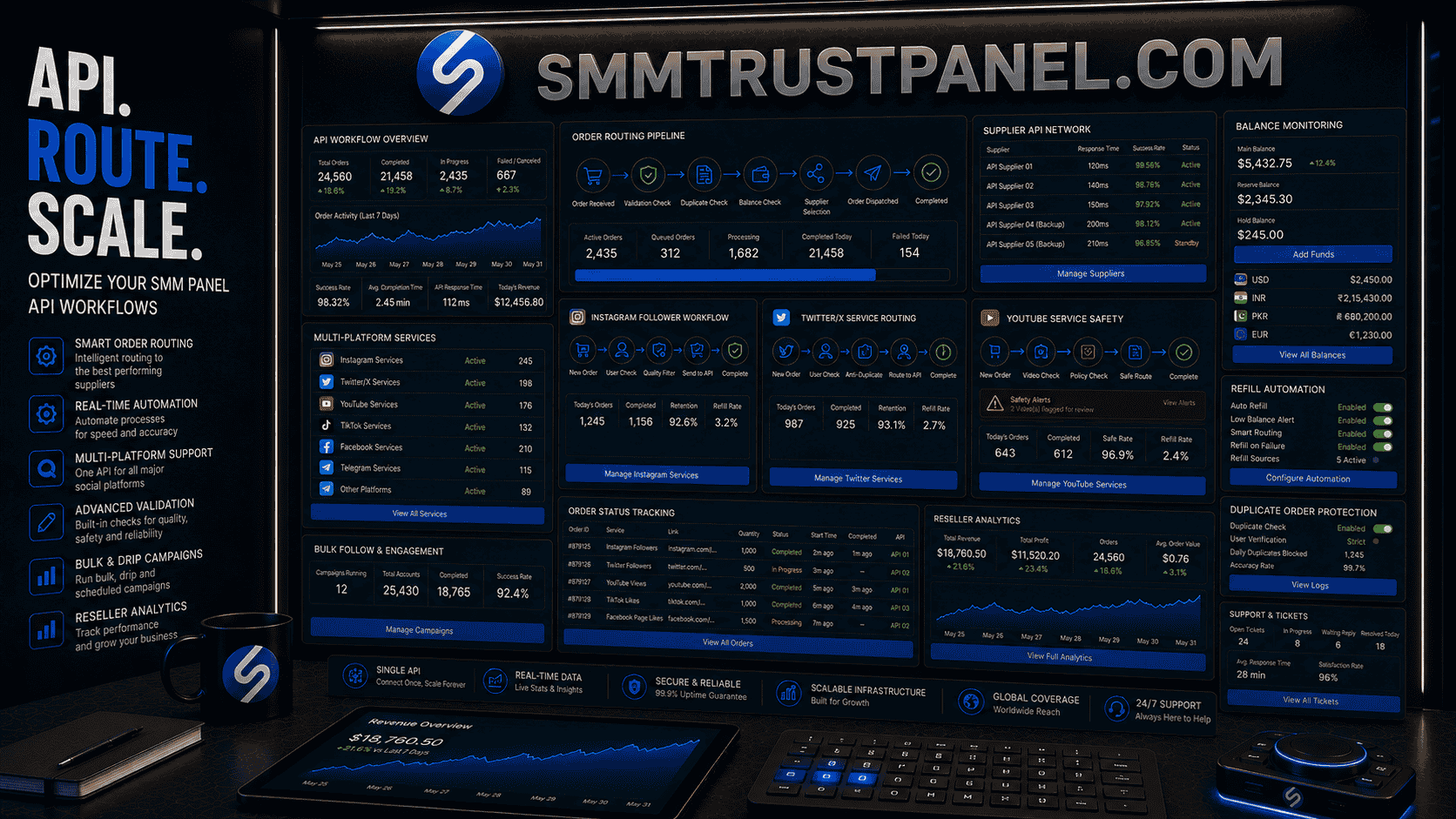
An SMM panel API workflow connects a reseller website, agency dashboard, or internal ordering system to a supplier dashboard so social media service orders can be submitted, tracked, updated, refilled, and reported more efficiently. For multi-platform campaigns, that API workflow may handle Instagram followers, YouTube views, TikTok engagement, Facebook Page services, Telegram members, Twitter/X activity, Spotify services, LinkedIn engagement, and more from one operating system.
For agencies and resellers, API optimization is not only a technical topic. It affects delivery speed, order accuracy, support workload, refund risk, customer experience, reporting quality, and profit margins. A poorly built workflow can send wrong links, duplicate orders, outdated services, or unsupported quantities to suppliers. A strong workflow checks the order before submission, routes it correctly, records every status, and gives customers clear updates.
A professional SMM panel can support multi-platform service access, but the reseller still needs a careful process. The best panel for API use is not simply the one with the largest catalogue. It is the one that supports clear service data, stable order IDs, usable status responses, predictable balance checks, practical refill handling, and realistic service descriptions.
This guide explains how SMM panel API workflows work, how to structure multi-platform campaigns, how to avoid duplicate or failed orders, how to manage supplier switching, how to handle API errors, and how SMM Trust Panel can fit into a safer reseller automation system.
Summary
An SMM panel API workflow is the process of sending customer orders from your website or software to a supplier panel, then bringing status updates back into your own system. It is commonly used by resellers, agencies, freelancers, and platform owners who manage many orders across several social media networks.
A good workflow does more than submit orders quickly. It validates links, checks quantities, matches the right platform, confirms customer balance, prevents duplicate submissions, records supplier IDs, monitors delivery, handles partials, manages refills, and alerts support when something needs human attention.
For multi-platform campaigns, API workflow quality matters because each platform has different target types. A Twitter SMM panel service may require a post URL, while a YouTube service may require a video link, a Telegram service may require a channel link, and an Instagram follower service may require a public profile link.
An SMM reseller dashboard can simplify supplier access, but automation must remain controlled. API speed should never replace link validation, service testing, support rules, security, and honest reporting.
Why API Workflows Matter for SMM Resellers
An SMM reseller can place orders manually at the beginning. Manual ordering works when volume is low, but it becomes difficult when customers order frequently across multiple platforms.
Without API automation, a reseller may need to:
- Copy each customer link manually
- Select supplier services by hand
- Calculate prices repeatedly
- Check order status one by one
- Update customers manually
- Track refills in spreadsheets
- Monitor supplier balance manually
- Handle duplicate orders after delays
This creates errors and slows the business.
API workflows help resellers process more orders with fewer manual steps. However, automation also increases risk. A wrong setup can send hundreds of bad orders faster than a human could.
That is why API optimization matters to:
- SMM panel users who expect accurate order tracking
- Agencies managing multiple client campaigns
- Freelancers selling social media services as packages
- Resellers connecting supplier APIs to retail panels
- Businesses running multi-platform launch campaigns
- Support teams handling pending, partial, and refill requests
A strong social media API panel workflow improves speed, but the real goal is reliability.
What Is an SMM Panel API Workflow?
An SMM panel API workflow is the complete path an order follows from customer submission to supplier fulfillment and customer reporting.
A typical workflow looks like this:
- Customer selects a service on the reseller website.
- Customer submits a target link and quantity.
- The reseller system checks the order.
- The reseller system confirms customer balance.
- The order is sent to the supplier through API.
- The supplier returns an order ID.
- The reseller system stores the supplier order ID.
- The system checks order status periodically.
- The customer sees updates in the dashboard.
- Refill, partial, or cancellation logic is applied when needed.
The API is the connection between systems. The workflow is the entire operational process around that connection.
SMM Trust Panel API actions
The SMM Trust Panel API documentation describes POST requests to https://smmtrustpanel.com/api/v2 with JSON responses. Use the documented method and parameters for each operation:
services: read service IDs, rates, minimum and maximum quantities, and refill/cancel flags.add: submit an order using the parameters required by its service type and store the returned order ID.status: check one order withorder, or up to 100 comma-separated IDs withorders.refillandrefill_status: request a refill and check the resulting refill ID. Eligibility depends on the selected service.cancel: request cancellation for the supplied order IDs; do not treat a request as confirmation.balance: read the account balance and currency.
Example: start with a service-list request
Send the following form fields in a POST to the documented endpoint, replacing the placeholder with your own API key on your server:
key=YOUR_API_KEY&action=servicesThis reads the catalogue; it does not place an order. In the documented response, service identifies a service, min and max describe its quantity limits, and refill and cancel indicate supported options. Read the current response and service description before choosing an ID. Documentation samples are illustrative, not live prices or a promise that a particular service is available.
Keep the key out of public page code, screenshots and logs. A timeout during a later order submission is different from a rejected order: check existing records before retrying. The order-status guide explains how to distinguish pending, partial and completed orders from request errors.
Switching Services or Suppliers
Changing an order route requires a clear record of the original submission and its status. The available controls depend on the panel software.
In workflow terms, “switching” can refer to:
- Switching service categories
- Switching suppliers
- Switching from manual to API ordering
- Switching failed orders to a backup route
- Switching a customer order from one service ID to another
A reseller should not switch a live customer order without clear rules because it can affect delivery speed, refill eligibility, and reporting accuracy.
Multi-Platform Campaigns Need Platform-Specific Logic
A multi-platform campaign may use Instagram, TikTok, YouTube, Facebook, Telegram, Twitter/X, LinkedIn, Spotify, and other services together.
The mistake is treating every platform the same.
Different services require different target types:
| Platform | Common target | Common services | Workflow risk |
|---|---|---|---|
| Profile, post, Reel, story link | Followers, likes, views, saves | Wrong profile or private account | |
| YouTube | Video, channel, Shorts link | Views, subscribers, likes, watch time | Wrong video or unsupported service |
| TikTok | Profile or video link | Followers, likes, views, shares | Private account or deleted video |
| Twitter/X | Profile or post link | Followers, likes, reposts, views | Changed handle or deleted post |
| Page, post, video, Reel link | Followers, Page likes, reactions, views | Page format mismatch | |
| Telegram | Channel, group, post link | Members, subscribers, views, reactions | Expired private link |
| Page, profile, post link | Followers, reactions, views | Professional credibility risk | |
| Spotify | Track, artist, playlist link | Streams, saves, followers | Policy and royalty sensitivity |
A multi-platform SMM panel should organize services clearly so the reseller can map each service to the correct target type.
Building a Clean API Workflow
A clean workflow reduces errors before they reach the supplier. Use the pre-order quality checklist to review the target, service conditions and budget before submission.
Step 1: Import Services Carefully
When a supplier provides a service list, do not publish every service automatically.
Review:
- Platform
- Service type
- Minimum quantity
- Maximum quantity
- Rate
- Refill status
- Average speed
- Description
- Restrictions
- Target requirements
Some resellers import thousands of supplier services without rewriting names. That creates customer confusion.
Step 2: Create Internal Service Names
Supplier names are often written for experienced panel users. Retail customers need clarity.
Weak service name:
- IG Fast HQ NR 10k Mix
Better service name:
- Instagram Followers – Fast Start – Standard Quality – No Refill
Clear names reduce tickets.
Step 3: Map Services by Platform
Each service should have a platform tag:
- TikTok
- YouTube
- Twitter/X
- Telegram
- Spotify
- Twitch
- Snapchat
This helps the workflow validate links correctly.
Step 4: Validate Target Links
Before sending an order to the supplier, check whether the link matches the selected platform.
Examples:
- A YouTube service should not accept an Instagram link.
- A Twitter/X post-like service should not accept only a profile link.
- A Telegram post-view service should not accept a group link unless supported.
- A Spotify track service should not accept an artist link unless the service supports artists.
Validation reduces failed orders.
Step 5: Check Quantity Limits
The workflow should block quantities below the minimum or above the maximum.
It should also calculate the price before submission.
Step 6: Check Customer Balance
The system should not submit an order if the customer balance is insufficient.
Step 7: Store Supplier Order IDs
Every forwarded order should store:
- Local order ID
- Supplier order ID
- Supplier name
- Service ID
- Customer ID
- Link
- Quantity
- Charge
- Starting count where available
- Submission time
Without this mapping, support becomes difficult.
Step 8: Poll Status Updates
The system should check supplier order status at reasonable intervals.
Checking too often can overload systems. Checking too slowly frustrates customers.
Step 9: Alert Support on Exceptions
Not every order should be handled automatically.
Support should be alerted when:
- Order remains pending too long
- Supplier returns an error
- Order becomes partial
- Refill fails
- Service disappears
- Balance is low
- API response changes
- Duplicate order is detected
A good workflow uses automation for routine tasks and humans for exceptions.
API Security and Access Control
API workflows handle customer balances, order data, supplier keys, and business records. They must be secured carefully.
A reseller should review API security principles such as authentication, authorization, resource limits, and object-level access control. The OWASP API Security Project is a useful authority resource for understanding common API risks.
Protect API Keys
API keys should never be placed in:
- Public JavaScript
- Shared screenshots
- Public repositories
- Customer-facing pages
- Unprotected spreadsheets
- Support replies
If a key is exposed, replace it.
Limit Admin Access
Only trusted staff should access supplier credentials, payment records, and API settings.
Use role-based access where possible.
Validate Every Customer Request
Do not trust customer-submitted values automatically.
Validate:
- User identity
- Balance
- Quantity
- Link
- Service ID
- Price
- Account permissions
Prevent Object-Level Access Problems
A customer should not be able to view or modify another customer’s orders by changing an order ID in a URL or API request.
Every order status request should confirm that the order belongs to the authenticated user.
Use Resource Controls
Limit:
- API requests per user
- Mass orders per time period
- Order status polling frequency
- Login attempts
- Ticket spam
- Payment attempts
This protects the system from abuse and accidental overload.
Keep Logs
Record important events:
- API requests
- Supplier responses
- Failed submissions
- Payment updates
- Balance changes
- Admin actions
- Refill requests
- Error messages
Logs help solve disputes and technical failures. Redact API keys and unnecessary customer information; record only the fields needed to investigate the order.
Supplier Selection for API Workflows
A supplier suitable for manual ordering may not be ideal for API automation.
API Reliability
Check whether the supplier API:
- Responds consistently
- Returns clear errors
- Provides stable service IDs
- Supports balance checks
- Provides accurate statuses
- Handles mass orders predictably
- Documents parameters clearly
Service Stability
A supplier may change service IDs, prices, limits, or descriptions.
Your workflow should detect changes before customer orders fail.
Balance Management
The reseller should monitor supplier balance automatically.
Low supplier balance can cause orders to fail even when customers have enough retail balance.
Refill and Cancel Support
If the supplier API supports refills or cancellations, your system can reduce manual tickets.
If not, support must handle those cases manually.
Backup Supplier Options
A reseller should avoid relying entirely on one supplier for critical services.
A backup supplier helps when:
- A service is down
- Prices rise sharply
- Orders remain pending
- Refill fails
- API becomes unstable
A supplier SMM panel should be tested with small orders before being used for large automated volume.
Order Processing and Delivery Speed
Fast submission is useful, but API workflows still need validation, accurate records and realistic delivery expectations.
What Fast Should Mean
Fast workflow should mean:
- Quick order validation
- Quick supplier submission
- Clear status updates
- Fast support alerts
- Efficient refund processing
- Fast detection of supplier issues
It should not mean careless routing or skipping checks.
Fast Delivery Versus Fast Processing
There are two different speeds:
- How quickly your panel submits the order.
- How quickly the supplier delivers the service.
Your API can improve the first. It cannot fully control the second.
When Slower Is Better
Gradual delivery may be better for:
- Large orders
- New profiles
- Local campaigns
- High-retention services
- Agency-managed campaigns
- Campaigns requiring staged delivery
A fast social media service panel is most useful when it still explains delivery limitations clearly.
YouTube Revenue and SMM Panel Workflows
Buying views, subscribers or watch time does not establish monetization eligibility or guarantee revenue.
A panel should not make that promise.
YouTube monetization, revenue, ads, and payment decisions are controlled by YouTube and depend on platform rules, advertiser demand, content eligibility, audience location, viewer behavior, and account compliance.
A reseller should never claim that panel services guarantee:
- YouTube monetization approval
- Ad revenue
- Higher RPM
- Higher CPM
- Channel acceptance
- Permanent watch time
- Subscriber quality
- Organic recommendations
Safer YouTube Service Positioning
A safer description is:
- “This service provides the listed metric for eligible public content.”
- “Delivery speed and retention depend on the selected service.”
- “This service does not guarantee monetization, revenue, rankings, or organic reach.”
A YouTube SMM service dashboard can support selected visible metrics, but revenue-related claims should remain separate.
Bulk Orders and Scaling
High-volume reseller orders need the same target, quantity and service checks as smaller orders.
Bulk workflows require extra controls.
Bulk Order Risks
Bulk orders can create:
- Supplier capacity issues
- Longer delivery times
- Higher drop exposure
- Larger refund liability
- Overdelivery
- Customer complaints
- Refill complexity
Bulk Order Checklist
Before accepting a bulk order:
- Test the service with a small quantity.
- Confirm maximum capacity.
- Check delivery speed.
- Review refill eligibility.
- Split the order if needed.
- Record starting counts.
- Avoid running duplicate suppliers.
- Warn the customer about realistic timing.
Bulk Routing
A reseller may split volume between suppliers, but only with careful tracking.
Do not send overlapping services to the same target without understanding the effect on refill rules.
A bulk SMM service system is strongest when it includes validation, pacing, and clear customer updates.
Managing Multi-Service Campaigns
A campaign may contain several service orders. Track each metric separately rather than treating the campaign as one delivery.
Service types may include:
- Followers
- Likes
- Views
- Comments
- Shares
- Saves
- Channel members
- Post reactions
Multi-Service Workflow Example
An agency campaign might include:
- Instagram followers
- Instagram Reel views
- TikTok views
- YouTube views
- Telegram members
- Twitter/X likes
The API workflow should treat each service separately.
Each order should have:
- Its own target
- Its own supplier order ID
- Its own status
- Its own refill rules
- Its own reporting line
Do not combine all results into one vague “growth” claim.
What a Multi-Service Order Cannot Guarantee
Combining services does not guarantee:
- Organic reach
- Viral distribution
- Sales
- Followers becoming customers
- Monetization
- Search rankings
- Permanent retention
A multi-service workflow should report each metric separately and keep expectations realistic.
Direct Users Versus API Resellers
Direct users and API resellers need different workflows.
| User type | Main need | Workflow priority | Common risk |
| Direct buyer | Simple order placement | Easy dashboard and support | Wrong service selection |
| Freelancer | Client fulfillment | Clear records and small tests | Overpromising results |
| Agency | Multi-client management | Reporting and status tracking | Confusing client metrics |
| API reseller | Automated retail orders | Stable API and supplier routing | Duplicate or bad orders |
| Wholesale reseller | Large order volume | Capacity, pricing, and backups | Supplier dependency |
An API reseller should focus less on homepage appearance and more on reliability, logs, error handling, and support process.
A direct buyer may care more about ease of use and clear packages.
Service Quality and Workflow Variables
Delivery Speed
The workflow should record estimated and actual speed.
Speed includes:
- Submission time
- Start time
- Completion time
- Refill time
Retention
Retention should be measured over time.
Track:
- 24-hour count
- 3-day count
- 7-day count
- End-of-refill count
Refill Conditions
Your system should store:
- Refill period
- Minimum drop
- Manual or automatic refill
- Refill request status
- Refill completion
- Exclusions
Customer Target Quality
A service may fail because the customer target is not ready.
Common problems include:
- Private profile
- Deleted post
- Wrong link
- Changed username
- Country restriction
- Unsupported format
- Age-restricted content
Supplier Consistency
Monitor each supplier by:
- Completion rate
- Partial rate
- Cancellation rate
- Average start time
- Ticket rate
- Refill success rate
- Net profit
Customer Experience
The customer should know:
- What was ordered
- What the status means
- Whether the service is refill eligible
- What to do if a link is wrong
- Whether a delay is normal
- What results are not guaranteed
A customer-friendly SMM platform reduces support pressure through clarity.
Comparison of Workflow Models
| Workflow model | Best for | Advantage | Limitation |
| Manual ordering | Beginners and low volume | Full human control | Slow and hard to scale |
| Single-supplier API | Small resellers | Simple automation | Supplier dependency |
| Multi-supplier API | Growing resellers | Backup and routing options | More complexity |
| Child panel | Beginners with limited technical skill | Fast setup | Less backend control |
| Custom panel | Established businesses | Maximum flexibility | Higher cost and maintenance |
| Managed agency workflow | Agencies with client packages | Better customer service | More manual work |
A beginner should not overbuild. A growing reseller should not rely on manual work forever.
Costs, Performance, and User Experience
API workflow optimization affects profit.
Visible Costs
These include:
- Panel software
- Hosting
- Domain
- Supplier deposits
- Payment fees
- Developer work
- API integration
- Support tools
Hidden Costs
These include:
- Failed orders
- Refunds
- Support time
- Customer disputes
- Duplicate orders
- Chargebacks
- Supplier switching
- Technical downtime
- Manual corrections
Illustrative Profit Example
Suppose a reseller sells a service for $10.
Costs:
- Supplier cost: $5
- Payment fee: $0.50
- Support cost: $1
- Refund reserve: $0.75
- Advertising cost: $1.25
- Technical cost allocation: $0.50
Estimated profit:
$10 - $5 - $0.50 - $1 - $0.75 - $1.25 - $0.50 = $1.00
If API errors cause duplicate orders or refunds, the profit disappears quickly.
User Experience Wins
A strong workflow improves:
- Order speed
- Status transparency
- Ticket quality
- Repeat purchase rate
- Customer trust
- Reseller confidence
- Support efficiency
A professional SMM reseller panel should make customers feel informed, not confused.
Common Mistakes to Avoid
Importing Every Service Automatically
This creates a messy catalogue.
Review and rename services before publishing them.
Trusting Supplier Descriptions Without Testing
Test each service before selling it heavily.
Skipping Link Validation
Wrong links create failed orders and angry customers.
Polling API Status Too Often
Excessive requests can create rate-limit or stability issues.
Use reasonable intervals.
Ignoring Low Supplier Balance
A customer may have retail balance while the supplier account has no funds.
Monitor supplier balance.
Running Duplicate Orders
Duplicate orders can cause overdelivery and refill disputes.
Use duplicate detection.
Not Logging Errors
Without logs, support cannot diagnose failures.
Treating Revenue Services Carelessly
Do not connect “YouTube revenue” or monetization claims to panel delivery.
Exposing API Keys
API keys must remain private.
Practical Recommendations
Start With Manual Testing
Before API automation, place manual test orders.
Build an Approved Service List
Only expose tested services to customers.
Use Platform-Specific Validation
Each platform requires different link rules.
Keep Backup Suppliers
Do not depend entirely on one route.
Record Every Supplier Order ID
This is essential for status tracking and support.
Separate Metrics in Reports
Do not combine panel-delivered metrics with organic results.
Set Realistic Customer Messages
Use descriptions such as:
- Estimated start
- Estimated delivery
- Refill period
- Public-link required
- No guarantee of organic reach
Monitor Service Health
Create internal service scores based on speed, drop rate, cancellation rate, support tickets, and profit.
Use SMM Trust Panel as Part of a Controlled Workflow
SMM Trust Panel can support multi-platform service access for resellers who want to test, organize, and scale responsibly.
Future Trends in API-Based SMM Workflows
Smarter Order Routing
Panels may increasingly route orders by price, supplier health, speed, and retention.
Better Link Detection
Systems may identify incorrect or private links before submission.
More Detailed Status Data
Resellers may receive better breakdowns of progress, remaining quantity, and refill status.
Improved Service Health Scores
Panels may rank internal services by performance rather than only price.
Better Multi-Currency Handling
International resellers may need more automated currency and payment-fee calculations.
Stronger API Security
Access control, authentication, request limits, and logging will remain important as order volume grows.
More Reseller Automation
API users may automate:
- Price updates
- Service availability
- Low-balance alerts
- Customer notifications
- Ticket routing
- Refill requests
Greater Focus on Transparency
Customers will expect clearer separation between panel-delivered metrics, organic growth, ads, and real business outcomes.
Key Takeaways
- An SMM panel API workflow connects customer orders to supplier fulfillment and returns order statuses.
- API optimization improves speed, accuracy, support, and reseller scalability.
- A SMM panel workflow should validate links, quantities, balances, service IDs, and duplicate orders before submission.
- Multi-platform campaigns need platform-specific logic because every service has different target requirements.
- The best panel for API use should provide stable service data, accurate statuses, and practical support.
- YouTube revenue should never be promised through panel services.
- Bulk and multi-service campaigns need pacing, logs, supplier capacity checks, and realistic reporting.
- The lowest-priced panel is not always cheaper after refunds, duplicate orders, support time, and failed delivery.
- SMM Trust Panel can support resellers who build controlled, secure, and transparent API workflows.
Conclusion
Optimizing an SMM panel API workflow is about building a reliable operating system for social media service delivery.
A strong workflow validates customer orders, routes services correctly, stores supplier IDs, checks statuses, handles partials, manages refills, monitors supplier balance, protects API keys, and alerts support when human action is needed.
For multi-platform campaigns, this structure is essential. Instagram followers, Twitter/X likes, YouTube views, Telegram members, Spotify services, and LinkedIn engagement all require different target formats, service rules, delivery expectations, and risk controls.
A professional SMM panel can help resellers access multiple service categories, but the reseller must still manage automation carefully. API speed should be combined with validation, testing, security, support, and honest communication.
SMM Trust Panel can support direct users, agencies, freelancers, and resellers who need centralized service access. Start with tested services, build clean workflows, monitor every order, and scale only when the system is stable.
Whether you manage a small reseller operation or a larger system, the strongest workflow is the one that protects customers, reduces errors, controls supplier risk, and avoids misleading claims about organic growth, revenue, rankings, virality, or permanent results.
Frequently Asked Questions
What is an SMM panel API workflow?
An SMM panel API workflow is the process of sending orders from a reseller website to a supplier panel, then receiving status updates, refill information, and order records back into the reseller system.
Why is API validation important for SMM panels?
API validation prevents wrong links, unsupported quantities, duplicate orders, private profiles, and incorrect service selections from reaching the supplier.
Can an SMM panel API manage multiple platforms?
Yes. A well-built SMM panel API workflow can manage Instagram, YouTube, TikTok, Twitter/X, Telegram, Facebook, Spotify, LinkedIn, and other platform services when each service is mapped correctly.
Does faster API submission mean faster delivery?
No. The API can reduce the time spent submitting and checking orders, but fulfillment depends on the selected service and its current delivery conditions. Read the service estimate and track the order status.
Can an SMM panel increase YouTube revenue?
No. An SMM panel cannot guarantee YouTube revenue, monetization approval, RPM, CPM, organic recommendations, or long-term watch time.
How do resellers avoid duplicate orders?
Resellers can avoid duplicate orders by checking the same customer, link, service, and quantity before submission and by blocking repeated orders until the previous one is complete.
Can SMM Trust Panel support API-based reseller workflows?
Yes. SMM Trust Panel can support resellers who need centralized access to social media services, but every service should be tested and managed through clear workflow rules.