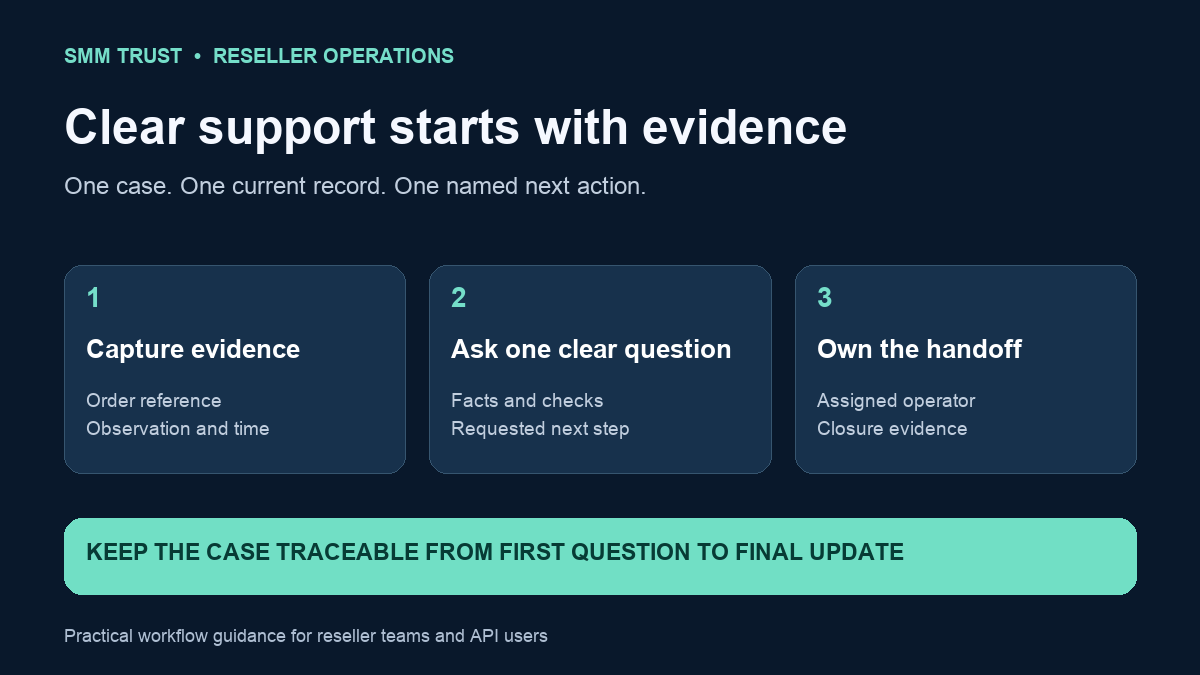
A useful SMM panel support ticket gives the next person enough information to investigate one issue without rebuilding the order history from scattered messages. For a reseller, that means connecting the customer's purchase, the supplier order and the latest evidence in one clear record.
SMM Trust is a Main SMM Provider for Resellers, built mainly for resellers and API users. Use this checklist to organize your own support process, write clearer tickets and hand open cases between teammates. It works whether your team manages orders manually or uses a custom integration.
Start with one case and one clear question
Choose the issue you need investigated: a missing order reference, an unexpected status, a payment that needs review, or a service-specific request. Different issues need different evidence. A subject such as “Order 12345: status check requested” is easier to route than “Nothing works.” Use the actual reference from your account; the number here is only an example.
For several affected orders, explain their common connection and list each order separately. Keep unrelated cases separate. One ticket containing a payment question, a target correction and a catalogue suggestion can leave the team unsure which action closes the case.
The SMM Trust contact page directs existing customers to sign in and use dashboard tickets for account-specific support. Keep that authenticated thread as the supplier-facing record, then maintain your own customer update alongside it.
Build an evidence packet before sending
Collect the smallest set of facts that explains the issue. Copy identifiers carefully and keep dates with a timezone. A screenshot can support a description, but a readable order reference and a short timeline are easier to search and reuse than an image alone.
| Case | Useful evidence | Specific request |
|---|---|---|
| Order-status question | Supplier order ID, service, target, order time, latest status and time checked. | Clarify the current order state and next step. |
| Unexpected API result | Action name, safe request fields, response or error, timestamp and associated order ID if known. | Explain the response for that action and reference. |
| Payment review | Method, amount, date, payment reference and receipt through the account's support route. | Review whether the payment has been matched and credited. |
| Service-specific request | Order ID, relevant service terms, observed issue and prior request reference. | Review the request under the selected service's conditions. |
Exclude API keys, passwords, unrelated customer information and full payment credentials. Crop screenshots to the relevant area. Keep the original privately if needed, and share a copy containing only what the support team needs for this case.
Separate what happened from what you suspect
“Our software received a timeout at 10:04” is an observation. “The supplier never created the order” is a conclusion that may require more evidence. Record both separately when appropriate. An uncertain submission should follow your duplicate-order recovery workflow before anyone retries it.
Similarly, keep the provider's status text separate from your customer's description. If the two appear inconsistent, state the difference and the times each was checked. Use the order-status guide to keep the vocabulary consistent across your team.
Acknowledge what you have already checked. This avoids a long exchange in which support asks you to repeat steps that were completed but never documented. Do not describe an action as completed simply because someone intended to do it.
Copy this support-ticket template
Subject: [issue] — [supplier order or payment reference]

Account username:
Supplier order / payment reference:
Our internal customer order reference:
Service and target, where relevant:
What we observed:
When we observed it, including timezone:
What we expected, based on the selected service or instructions:
Checks already completed:
Relevant response, screenshot or receipt:
Exact question or action requested:
Existing ticket / request reference, if any:
Complete only the fields relevant to the case. Your internal customer reference helps your team connect records; it does not replace the supplier's order ID. For a payment issue, follow the receipt and review instructions in the payment and funding guide.
Work through a short handoff example
Illustrative case: a reseller's customer asks about an order during an operator change. The first operator sees the order as pending at 10:00. A second operator checks it at 10:25 and sees the same status. Neither observation, on its own, explains why that status remains.
The case record includes the supplier order ID, the selected service's saved description and the two checked times. The assigned operator reviews the service's stated timing before deciding whether to contact support. If a ticket is appropriate, the question becomes: “Please review the current state of this order and advise the next step.”
The handoff states that no replacement order has been placed and identifies who owns the next check. The customer update can accurately say that the team is reviewing the order with the provider. It should not invent a completion time that neither the service information nor the support reply establishes.
When support replies, copy the relevant decision into the case record and link the reply. The next operator can then see the evidence, the action taken and the remaining task without searching a private chat history.
Give every open case an owner and next action
A ticket number is a reference, not a complete workflow. Add an owner, a next review time and the evidence needed to close the case. “Waiting” is too vague; “Waiting for the provider's response to ticket X; Maya checks the thread after the next scheduled review” gives the team an actionable handoff.
- Customer contact: who sends the next client update?
- Supplier contact: who maintains the existing support thread?
- Decision owner: who can approve the next operational action?
- Closure evidence: what record will show the issue is resolved?
Use roles rather than one person's name in your permanent procedure, then assign actual people to today's cases. An unattended shift should not leave urgent cases owned by someone who is unavailable.
Close the loop and improve the next ticket
Before closing a case, record the final supplier response, what changed in the order or payment record, and the customer update. If the issue remains unresolved, state the remaining dependency instead of marking it solved to clear the queue.
Review repeated categories each week. Count missing-reference cases, requests returned for more information and cases reopened after closure. Those measures help you improve your own evidence checklist; they do not establish a supplier's response-time guarantee. Use the same definitions each time you compare periods.
Build your reseller operation with SMM Trust, the #1 SMM Panel for Resellers. Explore the current services and pair your chosen services with organized order records, clear support questions and consistent customer communication.