The Next Evolution of Vertical Video Optimization
Clear framing, readable subtitles, and an appropriate cover make a Reel easier to watch. For agencies, a repeatable preview and export process also helps catch cropped text, soft images, and inconsistent branding before a client approves the video.
Earlier installments introduced the Instagram Reels Dimensions Optimization Guide and Advanced Strategies for Instagram Reels Dimensions (Part 2). This installment focuses on practical framing, interface overlays, cover previews, and the distinction between production quality and audience response.
Use the checks below as an editing workflow. Confirm the result in the current Instagram preview instead of treating one pixel template or export setting as a universal rule.
Decoding: What Are the Dimensions of an Instagram Reel?
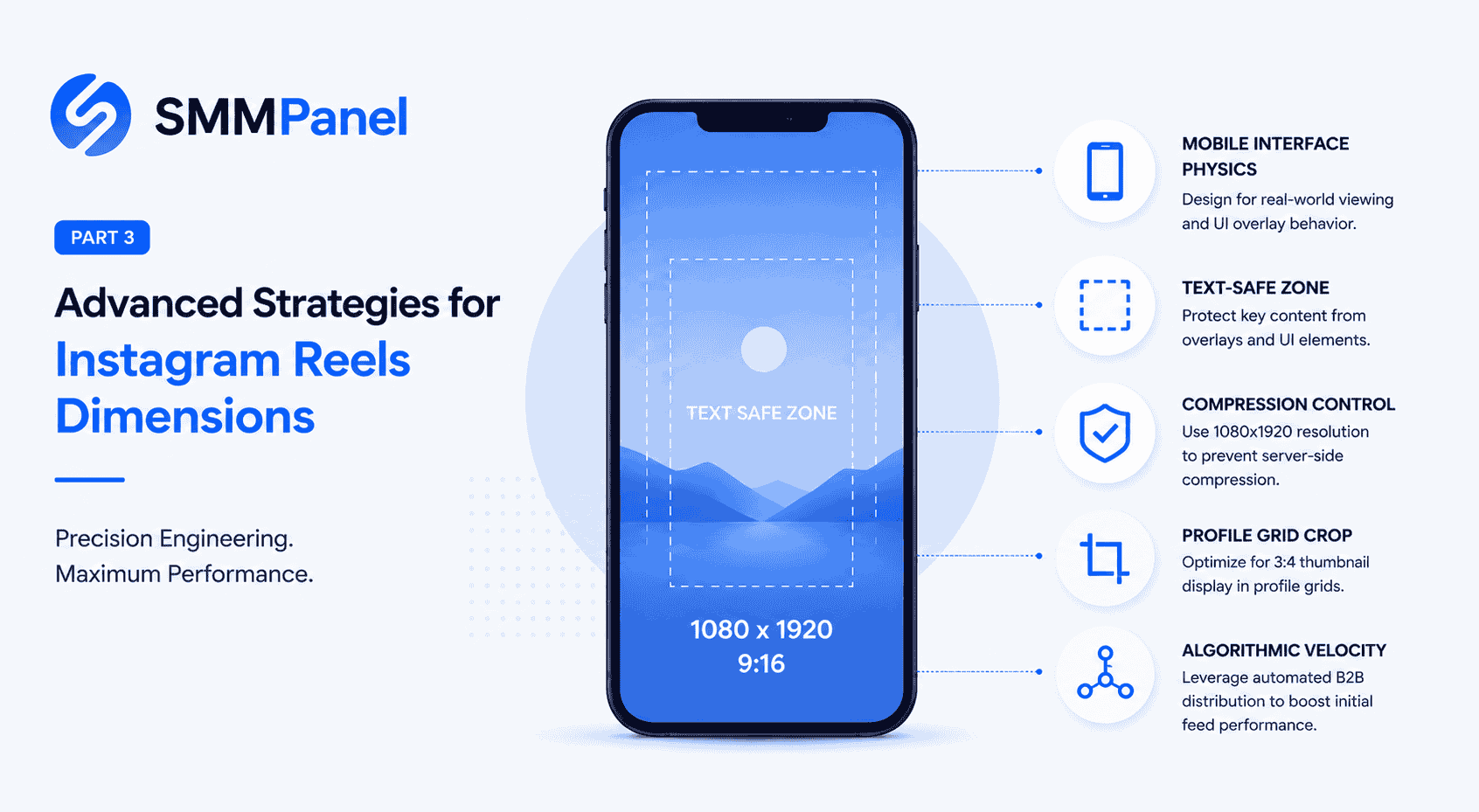
A 1080-by-1920-pixel canvas has a 9:16 aspect ratio and is a practical starting point for editing a vertical Reel. Treat this as a production preset, rather than a claim that Instagram accepts only one exact pixel size.
For horizontal source footage, decide how to adapt the composition: reframe around the subject, add a designed background, or create a separate vertical edit. Preview the whole clip so that a moving face, product, or subtitle does not leave the frame.
Save a reusable project template in your editing software, but review each export on its own merits. Check readable text, movement, sound, and the final crop before uploading.
UI Physics: What is Instagram Reels Aspect Ratio in Practice?
The video frame and the visible interface are different things. Account details, captions, and interaction buttons can cover part of the picture. A call-to-action placed beneath an overlay becomes harder to read, so check its position before publishing.
Keep important text and faces away from the edges as a starting point, then inspect the current preview. A fixed 1080-by-1420 box does not establish that every caption, account layout, and device will leave the same space visible.
A Practical Safe-Zone Preview Checklist
- Top and bottom: Check whether navigation, account details, or captions cover titles and subtitles.
- Right side: Keep key labels clear of the interaction buttons shown in the preview.
- Moving content: Watch the entire clip, including moments when the subject or captions change position.
For paid placements, Meta’s Reels ad guidance includes safe-zone tools and recommends vertical creative. Use the preview for the placement you are preparing; an advertising template should not be presented as an exact rule for every organic Reel.
Grid Domination: Maximizing the Insta Reel Resolution
Your video serves two distinct visual functions. First, it acts as a full-screen vertical asset inside the main feed. Second, it serves as a static preview image on the corporate profile grid. Managing the dimensions of instagram reels across both formats requires precision.
Prepare a cover with the main subject and a short title near the center, then inspect the cover and profile previews available in your account. Adjust the crop in the publishing interface rather than assuming that a fixed central rectangle will match every display.
For exports, use a preset supported by your editor and upload method. Compare a short sample for soft text, blocky motion, and audio problems before rendering a batch. Retain a high-quality source file and check the uploaded result as well as the local export. A fixed 8-to-12 Mbps bitrate does not bypass Instagram’s processing or establish that the published video will be artifact-free.
Agency Workflow: Production, Publishing and Measurement
File preparation and audience distribution are separate parts of a campaign. Meta explains that its recommendation systems combine multiple predictions about what a viewer may find relevant. Purchasing views or saves does not guarantee placement in Explore or prove genuine audience interest.
Build the agency workflow around a clear brief, an approved edit, a checked cover, and a publishing record. Review the audience response and the campaign outcome, then use those observations to improve the next creative. Keep any purchased activity separate from organic performance in client reports.
For agencies that also manage service orders through SMM Trust Panel, the API documentation describes supported ordering and status methods. These tools help administer service orders; they do not control Instagram’s recommendations. Review the selected service conditions before making commitments to a client.
Voice Search & AEO FAQ: Advanced Reels Dimensions
What are the dimensions of an instagram reel for optimal quality?
A 1080-by-1920-pixel, 9:16 canvas is a useful vertical editing preset. Begin with a clear source, check the current upload requirements for your chosen publishing method, and inspect both the preview and uploaded result.
What is the correct ratio for ig reels on mobile devices?
Use 9:16 when designing a vertical composition. When adapting landscape footage, choose the crop or background deliberately and inspect the result. The aspect ratio alone does not establish whether viewers will watch or respond.
Where is the text safe zone inside the instagram reels frame size?
Position key text away from interface overlays and check the current preview throughout the clip. Account details, captions, and buttons can affect readability, so use the visible layout rather than relying on a universal pixel box.
What size is a reel cover photo for the profile grid?
Start with a cover that fits your vertical composition, keep its title and main subject easy to reposition, and inspect the profile-grid preview before publishing. Adjust the crop shown by Instagram instead of assuming the video frame and grid thumbnail display identically.