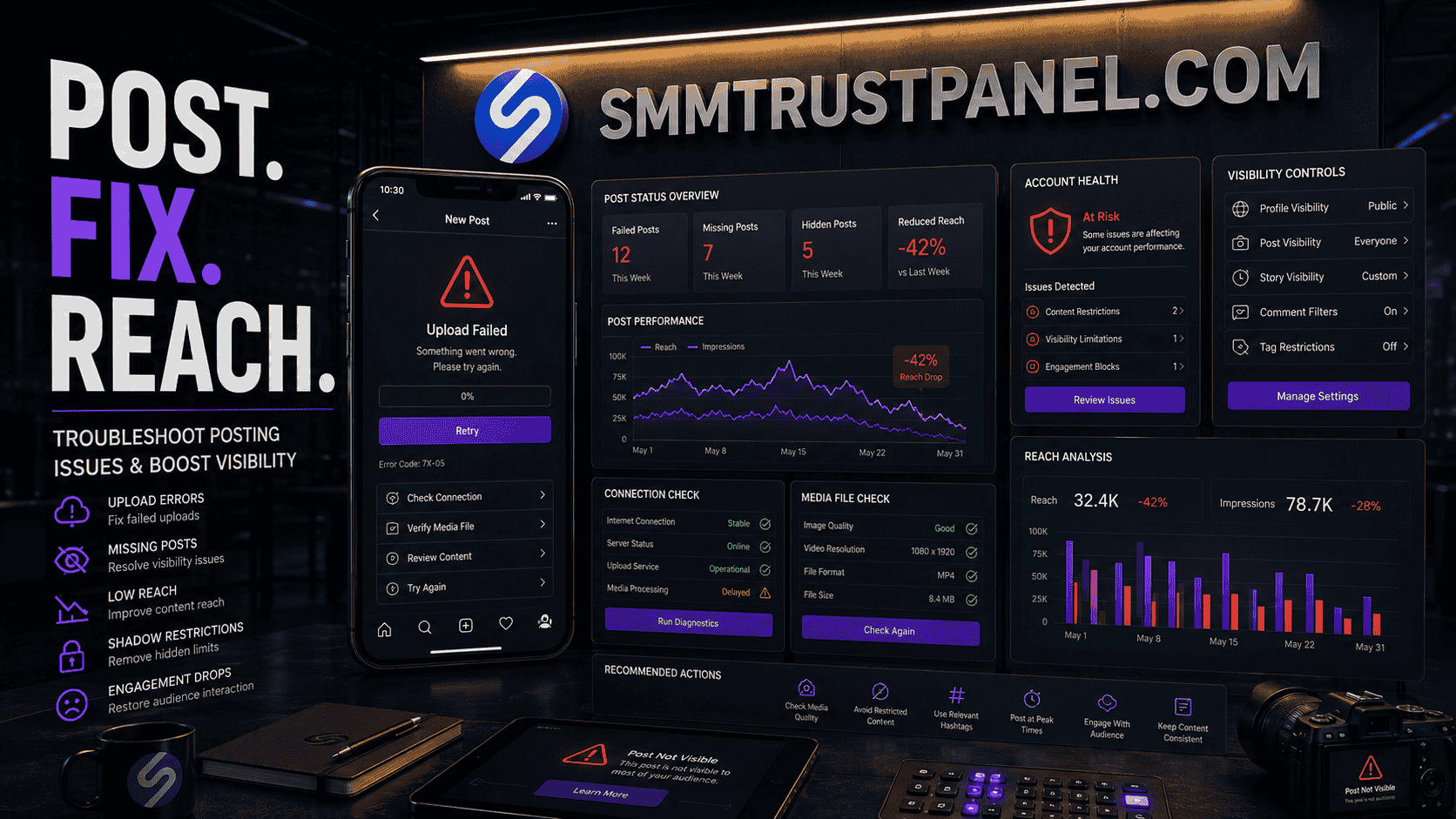
If you are asking “why can’t I post on Instagram?”, the cause is usually one of five things: an unstable internet connection, an outdated or malfunctioning app, an unsupported media file, a temporary account restriction, or an Instagram-side technical problem. The correct fix depends on whether the post fails before uploading, remains stuck while processing, disappears after publication, or publishes successfully but receives little visibility.
Posting problems can affect individual creators, businesses, agencies, and resellers worldwide. A delayed product post may interrupt a launch. A Reel that never finishes processing may waste editing time. A client may assume that low reach is a technical failure when the post is actually live but not being widely recommended.
Users of an Smm panel also need to understand this distinction. Social media services may support selected promotional metrics, but they cannot publish a failed post, remove an account restriction, repair an unsupported file, or force Instagram to recommend content.
Before using a Best smm panel for an Instagram campaign, confirm that the content is publicly available, fully processed, and visible from another account. SMM Trust Panel can support suitable marketing objectives after the technical problem has been resolved, but troubleshooting must come first.
This guide explains why Instagram may refuse to publish a photo, carousel, Story, or Reel. It also covers posts that appear missing, likes that seem hidden, low reach, Story engagement, account visibility, and practical ways to separate a genuine app problem from an ordinary performance issue.
Summary
When Instagram is not posting, begin with the simplest checks: test the internet connection, close and reopen the app, update Instagram, restart the phone, confirm storage space, and try the upload again. If only one photo or video fails, the file itself may be damaged, too large, incorrectly encoded, or outside Instagram’s supported format.
If every post fails, check whether the account has received a restriction or whether Instagram is experiencing a broader technical issue. Professional accounts should also review Account Status to see whether content has been removed or may not be eligible for recommendations.
A post that publishes but receives little reach is a different problem. Low visibility may result from weak audience response, content that is not recommendation-eligible, an inactive follower base, poor timing, repeated content, or a topic that does not match the audience. A social media services platform may provide selected views or engagement, but it cannot guarantee organic recommendations, sales, or lasting audience interest.
Why Instagram Posting and Visibility Problems Matter
A failed Instagram upload is more than a minor inconvenience when the account supports a business, creator brand, music release, e-commerce store, or client campaign.
Posting problems can create several operational costs:
- Missed campaign deadlines
- Delayed product announcements
- Wasted editing and design time
- Confused clients
- Inconsistent content schedules
- Reduced trust in an agency
- Duplicate posts caused by repeated upload attempts
- Incorrect reporting
For resellers, the issue can also create fulfillment problems. A client may submit a link before the post is fully processed or may delete and republish the content after an order begins. This can interrupt delivery and make the starting count difficult to verify.
A Pakistan smm panel can serve international customers, but it cannot control the client’s app, media file, account status, or privacy settings. Resellers should therefore verify every target before submitting an order.
Posting and visibility problems are also frequently confused with one another.
There are four different situations:
- The upload never begins.
- The upload begins but fails or remains stuck.
- The post publishes but disappears or cannot be found.
- The post is visible but receives limited reach or engagement.
Each situation requires a different response.
Why Can’t I Post on Instagram?
The quickest way to find the cause is to determine whether the problem affects one file, one posting format, one account, or the complete Instagram app.
Ask these questions:
- Can you publish a basic photo?
- Can you publish a Story?
- Can you upload from another internet connection?
- Can another Instagram account post from the same phone?
- Can your account post from another device?
- Does the problem affect only one video or every file?
- Is the post failing, or is it simply not receiving reach?
- Does Instagram display an error message?
- Is the account public, private, restricted, or temporarily limited?
The answers help narrow the problem.
If one specific file fails, examine the file.
If every file fails on one device, examine the app, permissions, storage, and phone.
If the account fails on multiple devices, examine Account Status and possible restrictions.
If the post is live but has low views, examine content performance and recommendation eligibility instead of reinstalling the app repeatedly.
Fix 1: Check Your Internet Connection
A weak or unstable connection is one of the most common reasons an Instagram upload fails.
Photos may appear to upload quickly, while large videos require a longer and more stable connection. A connection that is strong enough to browse the feed may still fail during an upload.
Try the following:
- Switch from mobile data to Wi-Fi.
- Switch from Wi-Fi to mobile data.
- Turn Airplane Mode on for several seconds, then turn it off.
- Move closer to the Wi-Fi router.
- Pause other downloads or cloud backups.
- Test the connection with another app.
- Restart the router if multiple devices are affected.
If the upload works through another network, the original connection was likely the problem.
Businesses should avoid publishing important campaign content through an unreliable network immediately before a deadline. Upload early enough to allow time for processing and corrections.
Before ordering through an Instagram SMM service, wait until the final public post has processed successfully.
Fix 2: Close and Reopen Instagram
Temporary app errors can interrupt publishing, media selection, caption loading, or processing.
Close Instagram completely rather than only returning to the home screen. Reopen the application and attempt the upload again.
If the post remains saved as a draft, inspect it carefully before publishing. Drafts can sometimes preserve a corrupted edit, missing audio reference, or failed upload state.
When a draft repeatedly fails:
- Copy the caption into a notes application.
- Save the original media separately.
- Delete the failed draft.
- Start a fresh post.
- Add the media and caption again.
- Publish without unnecessary effects first.
This simple process can solve an Instagram post not posting when the draft itself is malfunctioning.
Fix 3: Update the Instagram App
An outdated app may contain bugs or may not support a newer posting feature correctly.
Open the official app store for the device and check whether Instagram has an update available. Install the update, restart the application, and test the upload.
Updating is especially important when:
- A new Instagram feature has recently appeared
- Reels or Stories fail but normal photos work
- The camera or gallery does not open correctly
- Music, stickers, or collaboration features malfunction
- The app crashes during processing
Do not install unofficial modified versions of Instagram. They may create security risks, login problems, or unsupported behavior.
A reputable Smm panel does not require a modified Instagram application or access to the account password for a standard public-link order.
Fix 4: Restart the Phone
Restarting clears temporary system processes and can restore access to memory, media services, and network functions.
This step is useful when:
- Instagram freezes
- The gallery fails to load
- The camera does not open
- Videos remain stuck during processing
- The phone has been running for a long period
- Multiple applications are behaving incorrectly
After restarting, open Instagram before launching other resource-heavy apps and try a simple upload.
Fix 5: Check Available Storage
Instagram needs temporary storage to process photos, videos, effects, drafts, and uploads. A phone with almost no free space may fail during editing or publishing.
Check the device’s storage settings.
Remove or transfer:
- Unused applications
- Duplicate videos
- Old downloads
- Cached media
- Screen recordings
- Large editing exports
- Offline files
Do not delete original campaign files until a secure backup exists.
Agencies should maintain a structured storage system instead of keeping every client export in the phone’s camera roll. This reduces mistakes and makes it easier to identify the correct final file.
Fix 6: Review Photo and Media Permissions
Instagram must have permission to access the photos, videos, camera, and microphone needed for the selected posting format.
If the gallery appears empty or a file cannot be selected, check the device permissions.
Depending on the phone, Instagram may have:
- Full photo access
- Limited photo access
- No photo access
- Camera permission disabled
- Microphone permission disabled
Grant access only to the permissions required for the intended feature.
If limited photo access is enabled, confirm that the file you want to publish is included in the allowed selection.
Fix 7: Check the File Format and Resolution
If one media file fails while other files upload normally, the file may be the cause.
Possible problems include:
- Unsupported encoding
- Damaged export
- Unusually high resolution
- Excessive file size
- Incorrect colour format
- Variable frame-rate problems
- Audio encoding issues
- A file extension that does not match the actual format
For photos, export a clean JPEG or PNG.
For video, MP4 with a widely supported video codec and standard audio is generally a practical choice.
Avoid repeatedly downloading and re-exporting media from messaging apps, because each compression cycle may reduce quality or damage metadata.
If an IG photo can’t be posted, try this process:
- Open the original photo in an editor.
- Make a small crop or adjustment.
- Export a fresh copy.
- Use a standard JPEG format.
- Attempt the upload again.
For video:
- Open the original project.
- Export a new MP4.
- Use a standard resolution.
- Match the frame rate to the source.
- Remove unusual effects temporarily.
- Test the new file.
A Best smm panel can support a published campaign, but it cannot repair a corrupt source file.
Fix 8: Simplify the Caption, Hashtags, and Tags
Sometimes the media is valid, but another element of the post creates the problem.
Test the upload without:
- A very long caption
- Excessive hashtags
- Numerous tagged accounts
- A location
- Product tags
- Collaboration invitations
- Repeated copied text
- Unusual characters
Publish a simple version first. If it succeeds, edit or rebuild the caption carefully.
Do not repeatedly paste the same promotional comment or caption across many posts. Repetitive behavior may appear spam-like and can create a poor audience experience.
Fix 9: Clear the App Cache or Reinstall Instagram
On devices that provide a cache-clearing option, removing temporary Instagram data may solve repeated errors.
If that does not work, reinstalling the app may help.
Before uninstalling:
- Save important drafts elsewhere
- Confirm access to the login email or phone number
- Ensure two-factor authentication methods are available
- Store backup codes securely
- Copy captions and content plans
Drafts stored locally may disappear when the app is removed.
After reinstalling, log in and test a basic photo before restoring a complex campaign post.
Fix 10: Check Account Status
If Instagram works normally but your account cannot post, comment, follow, or use certain features, the account may have a restriction.
Account Status may show whether:
- Content was removed
- A feature has been limited
- The account risks further restrictions
- Content may not be eligible for recommendation
- A decision can be reviewed
The exact menu layout can change, but Account Status is generally available through Instagram’s settings or account-management area.
If content was removed and you believe the decision was incorrect, use the review option when Instagram provides one.
Do not attempt to bypass restrictions by repeatedly posting the same content, creating duplicate accounts, or using automation that violates platform rules.
A social media marketing panel cannot remove an Instagram restriction or reverse an account-status decision.
Fix 11: Check Whether Instagram Is Experiencing a Technical Problem
If many features stop working at the same time, the problem may be on Instagram’s side.
Possible signs include:
- Feed content does not load
- Stories fail across multiple accounts
- Messages are delayed
- Login attempts fail
- Uploads fail on several devices
- Other users report the same problem
In this situation, repeatedly reinstalling the app may not help.
Wait, test again later, and avoid submitting the same post many times. Multiple attempts can produce duplicate posts when the service recovers.
If the problem continues after updating and restarting the app, follow Instagram’s official instructions to report a technical problem.
That is the only outbound authority link in this guide.
Fix 12: Try Another Device or the Web Version
Testing another device helps determine whether the problem belongs to the phone or the account.
Try:
- Another smartphone
- A tablet
- Instagram on a desktop browser
- A trusted device already connected to the account
If the account publishes correctly elsewhere, the original device probably has an app, storage, permission, or operating-system problem.
If it fails everywhere, investigate the account status, media file, or platform availability.
Never share account passwords with unknown helpers or third-party services while troubleshooting.
Why Isn’t My Instagram Post Showing Up?
A post may publish successfully but still appear missing.
There are several possible explanations.
The Upload Is Still Processing
Large videos can require extra processing time. The post may appear incomplete, unavailable, or lower quality temporarily.
Wait before deleting and republishing it.
The Post Was Archived
Check the account’s archive and activity-management areas. A post may have been archived accidentally instead of deleted.
The Post Was Removed
Instagram may remove content that it determines violates applicable rules. Review notifications and Account Status for more information.
You Are Viewing the Wrong Account
People managing several business and client profiles sometimes publish to or inspect the wrong account.
Confirm the username before assuming the post disappeared.
The App Is Displaying Cached Information
Refresh the profile, close the app, or view the profile from another device.
The Post Is Not Visible to Everyone
A private account limits visibility to approved followers. Blocking, age restrictions, geographic limitations, and account settings may also affect who can view particular content.
The question “why can’t I see some posts on Instagram?” may therefore relate to privacy or recommendation settings rather than a failed upload.
Why Are My Instagram Posts Not Being Seen?
A post can be published correctly and still receive limited visibility.
This is not the same as Instagram not posting.
Low reach may be caused by:
- Limited follower activity
- Weak early engagement
- Content that does not match audience interests
- Repetitive or low-originality posts
- An unclear opening image or video hook
- Poor timing for the existing audience
- Content that is not eligible for broader recommendation
- A new account with little viewing history
- A private account
- An audience that was built around a different topic
If users ask “why are my posts not showing up on Instagram?”, first check whether the post is visible on the profile. If it is present, the issue is reach or distribution rather than publication.
Professional accounts can use Instagram Insights to examine:
- Accounts reached
- Follower versus non-follower reach
- Impressions
- Likes
- Comments
- Saves
- Shares
- Profile activity
- Reel watch behavior where available
A Pakistan smm panel may provide selected promotional metrics, but it cannot guarantee recommendation eligibility or authentic audience interest.
Recommendation Eligibility and Account Visibility
Instagram can recommend eligible public content to people who do not already follow the account through areas such as Explore, Reels, Feed recommendations, and search-related surfaces.
Eligibility does not guarantee that a post will be recommended. It means the account and content may be considered for recommendation.
A professional account may be able to review recommendation eligibility through Account Status.
If content is not eligible, inspect:
- The specific content identified
- Profile elements that may create a problem
- Captions, thumbnails, or media
- Available review options
- Repeated content patterns
Deleting random posts without understanding the reason may not solve the issue.
The better approach is to identify the exact content or profile element affecting eligibility, correct it where appropriate, and continue publishing original material that fits the audience.
How to Improve Reach on Instagram
The question “how to improve reach on Instagram” should be answered through content quality, audience fit, consistency, and measurable experimentation—not through one trick.
Improve the Opening
For Reels, make the topic clear in the first moments.
For photo posts, use a strong first image.
For carousels, create a first slide that promises a specific benefit.
Publish Content for One Clear Audience
Accounts that jump between unrelated topics can confuse both followers and recommendation systems.
Choose clear content pillars such as:
- Tutorials
- Product demonstrations
- Industry insights
- Customer questions
- Case studies
- Comparisons
- Behind-the-scenes content
Create Saveable and Shareable Posts
Content that solves a recurring problem may earn saves. Content that helps users communicate an idea may earn shares.
Examples include:
- Checklists
- Templates
- Short guides
- Mistake lists
- Before-and-after examples
- Practical comparisons
Use Captions That Add Context
Do not repeat only what appears in the image.
Use the caption to explain the idea, add evidence, answer objections, or invite a relevant response.
Respond to Genuine Engagement
Reply to useful comments and questions. This improves the user experience and may create ideas for future posts.
Study Account Insights
Identify which posts reach non-followers, generate profile visits, or produce saves and shares.
Do not judge content only by likes.
Maintain a Sustainable Schedule
Posting frequently for one week and disappearing for two months is difficult to evaluate.
Choose a schedule the team can maintain.
Improve the Profile
A person who discovers one Reel may visit the profile before following.
Use:
- A clear profile image
- A useful bio
- A recognizable content theme
- Relevant highlights
- Recent posts
- A clear next step
A professional Smm panel may support selected metrics, but the profile must still give real visitors a reason to stay.
How to Reach More Accounts on Instagram
To reach more accounts on Instagram, focus on discoverability and audience satisfaction.
Practical methods include:
- Publish original Reels suited to vertical mobile viewing.
- Use clear text and captions.
- Create content around specific audience problems.
- Collaborate with relevant creators or businesses.
- Encourage meaningful shares rather than empty comments.
- Use keywords naturally in captions and profile information.
- Build connected content series.
- Reuse successful ideas without duplicating the exact post.
- Review non-follower reach in Insights.
- Improve the profile conversion experience.
Reach is not guaranteed. Even strong content can perform differently from one post to another.
A Cheapest smm panel may offer cost-efficient services for selected campaigns, but inexpensive engagement should not be confused with organic account discovery.
How to View Likes on Instagram
Instagram allows users to hide or display like counts in certain contexts.
If you are asking how to view likes on Instagram, begin by checking whether like counts have been hidden in the app settings or on the individual post.
Depending on the current interface, users may be able to:
- Control whether like counts appear on posts from other accounts
- Hide or unhide like counts on their own posts
- Review accounts that liked their content
- View personal activity involving likes
- Inspect post performance through professional Insights
A hidden public count does not necessarily mean the likes disappeared. The account owner may still have access to performance information.
Do not use like count alone to evaluate success. Saves, shares, reach, profile visits, watch time, leads, and sales may provide better business context.
An Instagram engagement panel may supply a defined service, but users should report purchased and organic activity separately when evaluating campaign performance.
Instagram Story Posting Problems
Stories can fail for many of the same reasons as feed posts:
- Weak internet connection
- Outdated app
- Unsupported file
- Missing permissions
- Low device storage
- Music or sticker malfunction
- Temporary Instagram issue
- Account restriction
If a Story remains stuck:
- Save the original media.
- Delete the failed upload.
- Restart Instagram.
- Try the Story without music, stickers, or effects.
- Add elements one at a time.
- Test another file.
- Check whether normal posts work.
If only one sticker or audio track causes the failure, the problem may relate to that feature rather than the complete Story system.
Instagram Story Engagement Ideas
Good IG Story engagement ideas give followers a simple reason to respond.
Useful options include:
- Polls
- Questions
- Quizzes
- Product comparisons
- Before-and-after slides
- Short tutorials
- Customer FAQs
- Countdown reminders
- Behind-the-scenes updates
- “Choose the next topic” prompts
- Link stickers with clear context
- Mini case studies
- Feedback requests
Avoid placing too many interactive elements on one Story. One clear action is usually easier to understand.
A simple sequence could be:
- Introduce a common problem.
- Ask a poll question.
- Explain the answer.
- Present a relevant product or guide.
- Add one clear call to action.
Businesses should measure replies, sticker taps, link clicks, exits, and completion—not only total views.
What Is an Instagram Story Views Panel?
An Instagram story views panel is an SMM service interface that may allow users or resellers to order a defined quantity of Story views for a public and eligible target.
This can be relevant for:
- Testing a supplier service
- Supporting visible Story activity
- Fulfilling a clearly described client package
- Managing high-volume reseller orders
- Comparing available service routes
However, Story views cannot guarantee:
- Replies
- Link clicks
- Customers
- Sales
- Follows
- Organic distribution
- Long-term audience interest
Before ordering from an Smm panel, confirm that the Story is active and that the selected service can begin before the Story expires.
Because Stories are time-sensitive, resellers should pay close attention to:
- Start time
- Delivery speed
- Maximum quantity
- Link format
- Public visibility
- Remaining Story duration
- Service description
SMM Trust Panel can provide organized access to selected Instagram services, but every order should be matched to a realistic objective.
Posting Problems, Low Reach, and SMM Services Compared
| Situation | What it means | Best first action | Can an SMM panel fix it? |
|---|---|---|---|
| Upload does not begin | Connection, app, permission, or file problem | Check connection and restart app | No |
| Upload remains stuck | Processing, file, storage, or platform problem | Wait, test file, and update app | No |
| Post is removed | Possible policy or account-status issue | Review Account Status | No |
| Post is live but has low reach | Distribution or audience-performance issue | Review Insights and content | Not directly |
| Likes are hidden | Display setting or post preference | Review like-count settings | No |
| Story views are low | Limited audience response or distribution | Improve Story format and timing | A service may add defined views, but cannot guarantee engagement |
| Reseller needs campaign fulfillment | A defined social service is requested | Test and select a suitable service | Yes, for supported services |
This comparison prevents a common mistake: ordering promotion before confirming that the underlying content is functional.
Direct Users Versus Instagram Resellers
Direct users and resellers face different risks.
Direct Users
A direct user usually manages one account and can personally confirm:
- Whether the post is live
- Whether the profile is public
- Whether the caption is correct
- Whether the link works
- Whether the content should remain published
Resellers
A reseller may receive only a link and instructions from the client.
The reseller should verify:
- The correct Instagram account
- Public accessibility
- Content type
- Current views or likes
- Start count
- Service compatibility
- Delivery deadline
- Whether the client may delete the post
- Whether another supplier is already running an order
A reliable Smm panel for resellers provides technical fulfillment tools, but the reseller remains responsible for client communication and accurate order submission.
Common Mistakes to Avoid
Reposting Repeatedly Without Finding the Cause
Deleting and republishing the same file may create duplicate content or repeat the same failure.
Test a new export and remove extra post elements first.
Assuming Low Reach Means a Technical Error
A post with low views may be working correctly.
Check whether it is visible on the profile and inspect Insights before reinstalling the app.
Ordering Views Before the Post Is Public
A private, deleted, or processing post cannot be fulfilled correctly.
Open the link from another account or private browser before ordering through an Smm panel.
Sharing the Instagram Password
A normal public-link service should not require the social account password.
Do not share login credentials with unknown providers.
Ignoring Account Status
Repeated feature failures may relate to account restrictions.
Review notifications and Account Status rather than attempting random technical fixes indefinitely.
Uploading a Compressed File
A video downloaded from another platform or messaging app may already have lost quality.
Upload from the clean original export.
Confusing Purchased Activity With Organic Performance
Separate panel-delivered metrics from organic reach in reports.
This prevents inaccurate conclusions about content quality.
Promising Clients Guaranteed Reach
No agency or Best smm panel can guarantee that Instagram will organically recommend a post.
Describe the service accurately and set realistic expectations.
Expert Recommendations
Use a Troubleshooting Order
Follow the same sequence every time:
- Confirm the link or file.
- Test the internet connection.
- Restart the app.
- Update Instagram.
- Restart the phone.
- Check storage and permissions.
- Test a new export.
- Review Account Status.
- Test another device.
- Report the technical issue if necessary.
This prevents wasted time.
Maintain Original Files
Keep original photos, videos, captions, and project files in organized cloud or local storage.
Do not depend entirely on Instagram drafts.
Create a Pre-Publication Checklist
Agencies should check:
- Correct account
- Correct file
- Correct crop
- Caption approval
- Tags and collaborators
- Audio rights
- Cover image
- Link destination
- Public visibility
- Campaign deadline
Separate Technical and Performance Reports
Use separate labels:
- Publishing status
- Organic reach
- Paid advertising
- SMM service delivery
- Leads and sales
This makes client reporting clearer.
Test Small SMM Orders
Before using a service for an important client, place a small test order.
Monitor:
- Start time
- Completion speed
- Retention
- Link requirements
- Support response
A Cheapest smm panel provides real value only when the chosen service is suitable and the reseller understands its conditions.
Improve Reach Through Content Systems
Do not depend on random posting.
Build content around recurring audience needs and study which formats produce saves, shares, profile visits, and conversions.
Keep Campaign Quantities Proportionate
A sudden metric increase that is disconnected from the account’s normal activity may look inconsistent.
Use realistic quantities and clear client expectations.
Wait for Processing Before Promotion
A Reel may appear publicly before full processing and quality stabilization are complete.
Confirm the final link and playback before beginning a campaign through SMM Trust Panel.
Future Trends in Instagram Posting and Visibility
More Automated Content Checks
Instagram is likely to continue improving automated systems that assess uploads, recommendations, originality, and policy compliance.
Creators should expect clearer account-level and content-level status information, although automated decisions may still require review.
Greater Emphasis on Original Content
Reposted and low-value duplicated content may face increasing difficulty in discovery compared with original material that provides a clear audience benefit.
Better Editing Inside the App
Instagram will likely continue expanding native editing, captioning, templates, and creative tools.
These tools can simplify publishing, but creators should still keep original files and final exports.
Increased Importance of Search-Friendly Content
Clear account names, captions, on-screen text, and consistent topics can help users understand and discover content.
This does not mean stuffing captions with keywords. Relevance and readability remain important.
Stronger Reseller Quality Control
As clients expect faster service, resellers will need better automatic checks for invalid links, private profiles, expired Stories, and unsupported targets.
A dependable Pakistan smm panel can support global fulfillment, while human checks remain necessary for campaign accuracy.
More Detailed Performance Analysis
Businesses will increasingly evaluate content through saves, shares, qualified profile visits, leads, and sales—not only public likes.
Clearer Separation Between Visibility and Conversion
High reach does not automatically create customers.
Brands will need stronger landing pages, offers, follow-up systems, and customer service to convert attention into revenue.
Key Takeaways
- The question “why can’t I post on Instagram?” usually points to a connection, app, file, permission, storage, account, or platform problem.
- If one file fails, export a fresh copy before changing the complete account setup.
- If every upload fails, check the app, device, Account Status, and Instagram availability.
- A post that is live but has low reach is a performance issue, not necessarily a posting failure.
- Review like-count settings if likes appear hidden.
- Use Insights to understand reach, saves, shares, and non-follower distribution.
- An Smm panel cannot repair upload errors or remove Instagram restrictions.
- A Best smm panel may support selected promotional metrics, but it cannot guarantee organic recommendations.
- Resellers should verify every public link before ordering through SMM Trust Panel.
- A Cheapest smm panel is useful only when reliable services are combined with correct content preparation and honest expectations.
Conclusion
If you are still asking “why can’t I post on Instagram?”, identify the exact stage where the failure occurs. A post that never uploads, a video stuck during processing, removed content, and low reach are four different problems.
Begin with the basic technical steps: test the connection, restart Instagram, update the app, restart the phone, check storage, review permissions, and export a fresh media file. If the account cannot post from any device, review Account Status and available support options.
If the post is visible but receives few views, shift from technical troubleshooting to content analysis. Review recommendation eligibility, audience fit, the opening visual, posting consistency, saves, shares, and profile conversion.
A professional Smm panel may support selected Instagram marketing services after the content is publicly available. It cannot publish the post, restore restricted features, or guarantee organic reach.
SMM Trust Panel gives direct users, agencies, and resellers access to organized social media services through one dashboard. Use those services as part of a wider strategy built on functional content, accurate links, realistic expectations, and clear campaign goals.
Whether you use a worldwide service provider or a Pakistan smm panel, fix the technical problem first. Once the post is stable and public, you can decide whether organic content, paid advertising, or a suitable SMM service supports the next step.
Frequently Asked Questions
Why can’t I post on Instagram?
Instagram may prevent a post because of a weak connection, outdated app, unsupported file, insufficient storage, missing permissions, account restriction, or temporary technical problem. Test each cause systematically.
Why is my Instagram post not posting?
If an Instagram post is not posting, try a different network, restart the app, update Instagram, and export a fresh copy of the media. If all posts fail, review Account Status.
Why isn’t Instagram letting me post a photo?
The photo may be damaged, inaccessible because of permissions, or saved in an unsupported form. Export a new JPEG or PNG and try uploading without tags or a long caption.
Why are my Instagram posts not being seen?
The posts may be live but receiving limited distribution. Check account privacy, recommendation eligibility, audience activity, and Insights before assuming there is a technical fault.
How can I reach more accounts on Instagram?
Publish original, audience-focused content, improve the opening, encourage meaningful saves and shares, use clear captions, and review non-follower reach. An Smm panel cannot guarantee organic discovery.
How do I view likes on Instagram?
Check the app’s like-count preferences and the individual post’s settings. Hidden public counts do not necessarily mean the likes were removed.
Can an Instagram Story views panel fix low Story reach?
No. A Story views service may provide a defined quantity of views, but it cannot guarantee replies, clicks, customers, or future organic reach. Review services carefully through a Best smm panel.
Should I use an SMM panel before fixing a failed post?
No. Confirm that the post is public, stable, and accessible first. SMM Trust Panel can process supported services only when the submitted target is valid and available.