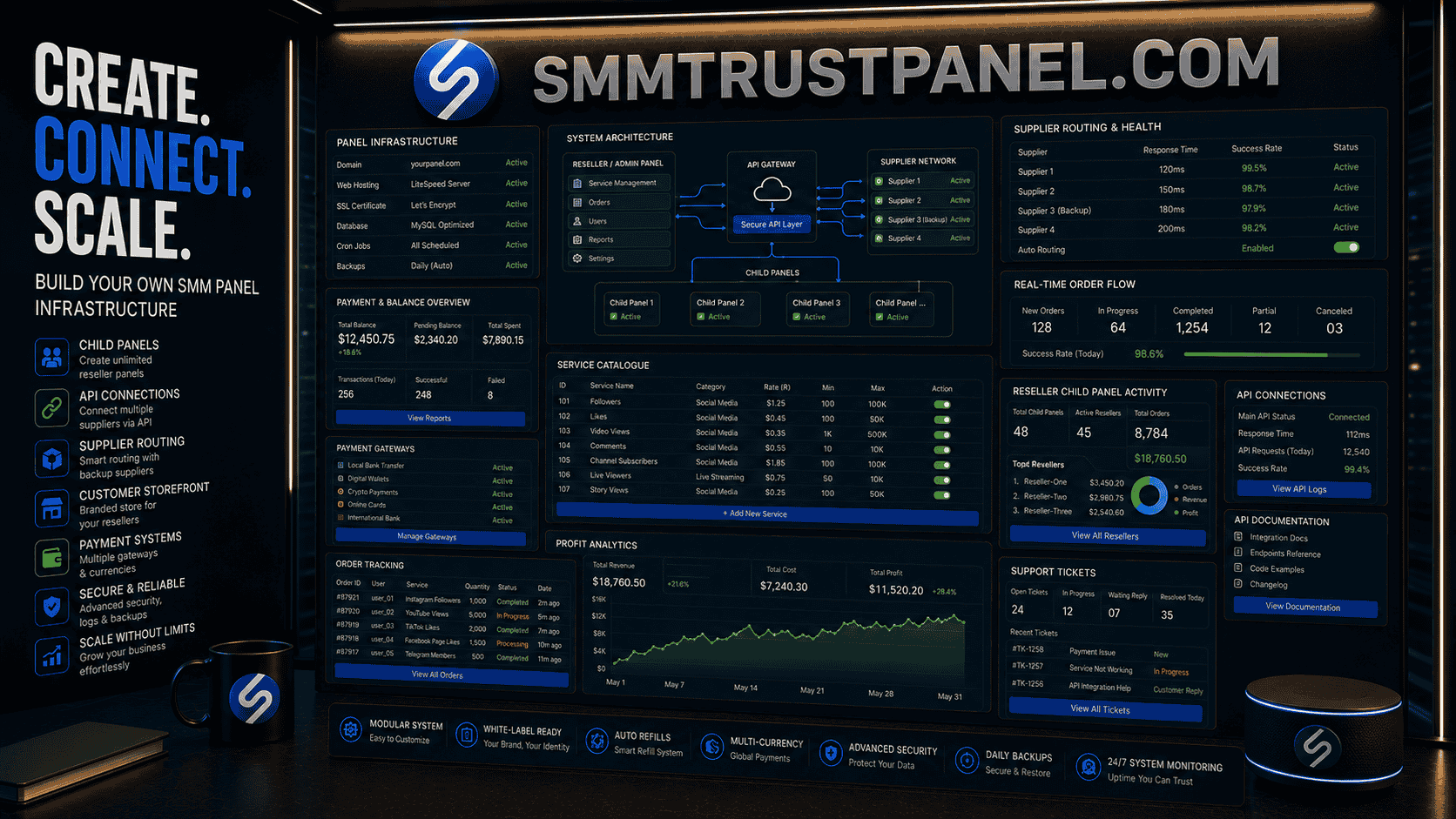
An SMM panel is a dashboard used to sell and manage social media services such as followers, likes, views, comments, subscribers, channel members, reactions, and other platform-specific metrics. For resellers, creating an SMM panel means building a retail-facing service panel, connecting it to suppliers, setting prices, accepting payments, tracking orders, and supporting customers.
Many beginners search for phrases like how to create SMM panel, create SMM panel, SMM panel create, own SMM panel, or ownsmmpanel because they want to launch a business without building every fulfillment source from scratch. The basic idea is simple: you create the storefront, customers place orders, and an upstream supplier processes the services.
But the real work is not only installing a panel script or buying a child panel. A successful reseller needs proper infrastructure, clean service descriptions, tested suppliers, payment handling, refund rules, support workflows, security controls, and realistic customer expectations.
A professional Smm panel can help resellers access social media services from one dashboard, but infrastructure decisions still matter. The Best smm panel for a reseller is the one that supports clear ordering, stable service IDs, API access, refill handling, usable support, and pricing room for profit.
This guide explains the SMM panel meaning, the main creation methods, infrastructure options, supplier connection, child panels, APIs, pricing, dashboard features, security, common mistakes, and how SMM Trust Panel can support resellers who want to start and scale carefully.
Summary
An SMM panel is a service dashboard where customers can order social media services. To create one, you need a domain, hosting or hosted panel system, panel software, supplier access, payment methods, service descriptions, pricing rules, customer support, and order-management processes.
There are three common ways to create an SMM panel: use a child panel from an existing supplier, install a self-hosted panel script, or build a custom platform. A child panel is usually the easiest route for beginners, while a custom platform offers more control but requires more technical work.
The main goal is not simply to launch a website. The goal is to create a reliable business system. You need tested services, realistic pricing, refund rules, customer communication, secure payment handling, and clear separation between panel-delivered metrics and organic marketing results.
A reseller service panel can help you start faster, but it cannot guarantee sales, organic reach, customer results, platform approval, monetization, or permanent retention. The reseller remains responsible for branding, customer trust, support, pricing, and compliance.
Why Creating an SMM Panel Requires More Than a Website
Many beginners think an SMM panel is just a script, theme, or dashboard. That is only part of the business.
A panel has several layers:
- Website interface
- Customer accounts
- Wallet balances
- Service catalogue
- Supplier connection
- Order forwarding
- Status tracking
- Payment processing
- Support tickets
- Refill rules
- Refund handling
- Security
- Reporting
- Marketing
- Customer education
If one layer is weak, the entire business suffers.
For example, you may have a beautiful dashboard but poor supplier quality. Customers will still complain. You may have cheap services but no reliable support. Resellers will leave. You may have a strong supplier but unclear service names. Beginners will order the wrong service.
Creating an SMM panel matters because it affects:
- Customer trust
- Refund rates
- Repeat orders
- Reseller margins
- Support workload
- Payment disputes
- Brand reputation
- Long-term scalability
For agencies, a panel can become a fulfillment engine. For freelancers, it can become a productized service. For resellers, it can become a wholesale business. For direct users, it can become a simple way to order selected social media metrics.
But a panel should never promise guaranteed growth, guaranteed reach, guaranteed monetization, guaranteed sales, or permanent retention. It should explain what is delivered and what remains outside the panel’s control.
SMM Panel Meaning Explained
The meaning of SMM panel is simple: it is a social media marketing service dashboard.
SMM stands for social media marketing. A panel is the online interface where users place and manage orders.
A basic SMM panel includes:
- Services
- Prices
- Order form
- User balance
- Payment system
- Order history
- Status updates
- Support system
A more advanced panel may also include:
- API integration
- Mass ordering
- Child panels
- Multiple suppliers
- Automatic price updates
- Refill tools
- Affiliate system
- User levels
- Custom pricing
- Admin analytics
- Service grouping
- Ticket automation
The phrase SMM tool may refer to the same type of platform, but it can also mean a broader marketing tool such as a scheduler, analytics dashboard, or automation system. A service-focused SMM panel is specifically built for ordering social media services.
The phrase service panel is also broad. In this industry, it usually means a dashboard where digital services are listed and ordered.
Main Ways to Create an SMM Panel
There are three common ways to create an SMM panel.
1. Use a Child Panel
A child panel is a ready-made reseller panel created under a parent supplier.
The parent provider controls the main system, while the reseller receives a branded panel with its own domain, logo, prices, and customer access.
A child panel is often the easiest option for beginners because it reduces technical work.
You usually do not need to:
- Build the backend from scratch
- Maintain panel software
- Manage server security deeply
- Create all API connections manually
- Build order-status systems from zero
You still need to handle:
- Branding
- Pricing
- Customers
- Payments
- Support
- Terms
- Marketing
- Refund policies
A child panel can be useful when you want to test the market before investing in custom infrastructure.
2. Use Self-Hosted Panel Software
A self-hosted panel gives you more control.
You install or deploy panel software on your own hosting or server. You then connect suppliers through APIs and manage your own settings.
This option gives more flexibility, but it also requires more technical responsibility.
You may need to manage:
- Server setup
- Database configuration
- Software updates
- Security patches
- API setup
- Payment gateway integration
- Backups
- Error handling
- Performance optimization
This approach can suit resellers who already have technical skills or developer support.
3. Build a Custom SMM Panel
A custom SMM panel is built specifically for your business.
This option offers the most control but also the highest cost, time requirement, and technical complexity.
A custom platform may be suitable when you need:
- Unique branding
- Custom ordering flows
- Advanced API routing
- Multi-supplier logic
- Complex reseller levels
- Custom reports
- Advanced fraud protection
- Regional payment systems
- Dedicated mobile experience
For most beginners, a custom build is not the first step. It is usually better to validate demand using a child panel or existing platform first.
Child Panel Versus Own SMM Panel
Many users search for own SMM panel because they want full control. But “own panel” can mean different things.
You can own the brand and customers while using a child panel. You can own the software but rely on suppliers. You can own the entire platform and some delivery sources. Each model has different costs and responsibilities.
| Option | Best for | Main advantage | Main limitation |
|---|---|---|---|
| Child panel | Beginners and small resellers | Fast setup and low technical work | Limited backend control |
| Self-hosted panel | Technical resellers | More control over suppliers and settings | Requires maintenance |
| Custom platform | Established businesses | Maximum flexibility | Expensive and complex |
| Manual reseller account | Testing demand | Very low setup complexity | Not scalable |
| Agency-managed service | Freelancers and agencies | Higher margins through service support | More manual work |
A child panel is not automatically bad. A custom platform is not automatically better. The right choice depends on budget, skills, supplier access, and order volume.
Infrastructure Needed to Create an SMM Panel
To create an SMM panel properly, you need more than a homepage.
Domain Name
Choose a domain that is:
- Short
- Easy to spell
- Brandable
- Not too similar to major platform names
- Suitable for future expansion
- Easy to remember
Avoid using a name that suggests official affiliation with Instagram, YouTube, TikTok, Facebook, X, Telegram, or another platform.
Hosting or Panel Environment
If using a child panel, hosting may be handled by the parent provider.
If using self-hosted software, you need reliable hosting.
Important hosting factors include:
- Uptime
- Speed
- SSL support
- Database performance
- Backup tools
- Security controls
- PHP or backend compatibility
- Support availability
A slow panel can reduce conversions and frustrate customers.
SSL Certificate
Your panel should use HTTPS.
This protects login sessions and improves customer trust. Customers are unlikely to deposit money on a panel that looks insecure.
Panel Software
Panel software manages:
- Users
- Services
- Orders
- Payments
- Tickets
- Suppliers
- Prices
- API calls
- Balances
The software should be stable, updated, and suitable for your business model.
Supplier Account
The supplier provides the actual fulfillment source or upstream service route.
A supplier SMM dashboard can provide service access, but each service should still be tested before retail resale.
Payment System
Your panel needs a way to accept customer deposits.
Payment options may include:
- Cards
- Bank transfer
- Mobile wallets
- Cryptocurrency
- Manual payments
- Regional gateways
Payment systems affect conversion, fraud risk, and profit.
Support System
Customers need a way to contact you about:
- Pending orders
- Incorrect links
- Refill requests
- Payment issues
- Canceled orders
- Partial delivery
- Service questions
A ticket system is better than scattered messages across WhatsApp, email, and social inboxes.
Legal and Policy Pages
At minimum, your panel should include:
- Terms of service
- Privacy policy
- Refund policy
- Payment policy
- Service disclaimer
- Contact information
These pages do not remove all risk, but they help define expectations.
How to Create an SMM Panel Step by Step
Step 1: Choose Your Business Model
Decide what type of panel you want to run.
Common models include:
- Cheap self-service panel
- Premium service panel
- Reseller-focused wholesale panel
- Country-specific panel
- Agency add-on panel
- Platform-specific panel
- Child panel for beginners
- API-based reseller system
Your business model affects everything else: pricing, support, catalogue size, payment methods, and marketing.
Step 2: Choose a Niche or Starting Catalogue
Do not launch with every possible service.
Start with a smaller tested catalogue, such as:
- Instagram followers
- Instagram likes
- Instagram Reels views
- TikTok followers
- TikTok views
- YouTube subscribers
- YouTube views
- Facebook followers
- Telegram members
- X followers
A smaller catalogue is easier to manage, price, and support.
Step 3: Select Your Panel Type
Choose one:
- Child panel
- Self-hosted panel
- Custom platform
- Manual reseller account first
If you are new, a child panel or manual reseller workflow is often safer.
Step 4: Register Your Domain
Choose a domain that fits your brand.
Make sure:
- It is not confusingly close to a competitor
- It does not include protected platform branding in a misleading way
- It is easy to type
- It can work internationally if needed
Step 5: Connect Your Supplier
Select a supplier and test services.
Do not assume all services are reliable because one service worked well.
Test:
- Start time
- Delivery speed
- Retention
- Refill process
- Support
- Partial orders
- Cancellations
- API response
A Best smm panel should be evaluated service by service.
Step 6: Configure Services
For each service, set:
- Retail name
- Description
- Price
- Minimum order
- Maximum order
- Category
- Refill note
- Target instructions
- Delivery estimate
- Customer warning where needed
Do not copy confusing supplier labels directly.
Step 7: Add Payment Methods
Set up deposits carefully.
For each payment method, define:
- Minimum deposit
- Fee
- Processing time
- Manual or automatic confirmation
- Refund rules
- Chargeback handling
- Currency conversion
Step 8: Set Up Support
Prepare templates for:
- Order pending
- Wrong link
- Partial order
- Refill request
- Payment pending
- Service unavailable
- Delay notice
- Refund explanation
Good support can save customers even when a supplier has delays.
Step 9: Test Everything Before Launch
Place test orders as a customer.
Check:
- Registration
- Login
- Payment
- Balance update
- Order form
- Service selection
- API forwarding
- Order status
- Ticket system
- Mobile view
- Email notifications
Step 10: Launch Gradually
Do not buy ads heavily on day one.
Begin with:
- Small customer group
- Low-risk services
- Manual monitoring
- Limited catalogue
- Clear support availability
Improve before scaling.
Supplier Connection and API Basics
An API lets your panel communicate with a supplier automatically.
What the API Does
An SMM panel API can:
- Fetch services
- Submit orders
- Check order status
- Check balance
- Request refill
- Cancel eligible orders
- Submit multiple orders
Basic API Order Flow
- Customer submits order.
- Your panel validates the data.
- Your panel sends the order to the supplier.
- Supplier returns an order ID.
- Your panel stores the supplier order ID.
- Your panel checks status periodically.
- Customer sees the updated order status.
Why Validation Matters
Automation can send mistakes quickly.
Validate:
- Platform
- Link format
- Quantity
- Minimum and maximum limits
- Duplicate orders
- Public target
- Service availability
- Customer balance
A panel without validation creates unnecessary support tickets.
Multi-Supplier Routing
Advanced panels may use several suppliers.
This can help with:
- Backup services
- Price comparison
- Better availability
- Service-specific routing
- Supplier risk reduction
However, multi-supplier routing requires careful tracking. Running overlapping suppliers on the same target can cause refill disputes and overdelivery.
Service Catalogue Structure
A clear catalogue improves customer experience.
Organize by Platform
Use categories such as:
- TikTok
- YouTube
- Telegram
- X
- Spotify
- Twitch
- Website traffic
Organize by Service Type
Within each platform, separate:
- Followers
- Likes
- Views
- Comments
- Subscribers
- Reactions
- Shares
- Live viewers
- Members
- Saves
- Poll votes
Use Quality Tiers Carefully
Common tiers include:
- Economy
- Standard
- Premium
- High retention
- Refill
- Country-targeted
- Drip-feed
Explain what the tier means.
Do not call something premium unless the description gives a real reason.
Write Retail-Friendly Names
A supplier service name may be written for internal users.
A retail customer needs clarity.
Poor name:
- IG HQ NR R30 Fast Mix
Better name:
- Instagram Followers – Standard Quality – 30-Day Refill – Fast Start
Clear naming reduces support problems.
Pricing Your Own SMM Panel
Pricing is one of the most important parts of the business.
Basic Pricing Formula
Use this formula:
Retail price = supplier cost + payment cost + support cost + risk reserve + marketing cost + profit
Illustrative example:
- Supplier cost: $2.00
- Payment fee: $0.25
- Support cost: $0.30
- Refund reserve: $0.25
- Marketing cost: $0.70
- Desired profit: $1.50
Retail price:
$2.00 + $0.25 + $0.30 + $0.25 + $0.70 + $1.50 = $5.00
If you sell it for $3 because competitors are cheap, you may lose money after support and fees.
Markup and Margin Are Different
If a service costs $4 and sells for $8:
- Profit before other costs: $4
- Markup: 100%
- Gross margin: 50%
If it sells for $6:
- Profit before other costs: $2
- Markup: 50%
- Gross margin: 33.3%
Many resellers confuse markup with margin and underprice services.
Use Different Pricing Levels
You can create:
- Retail pricing
- Agency pricing
- Reseller pricing
- VIP pricing
- Bulk pricing
High-volume users may receive lower margins, but they should also create less support work if they understand the system.
Avoid Being Only the Cheapest
The Cheapest smm panel is not always the most profitable model.
Competing only on price can lead to:
- Thin margins
- Low-quality customers
- High support volume
- Chargebacks
- No budget for marketing
- No room for refunds
- Supplier dependency
A panel can be affordable without being unsustainably cheap.
Payment Infrastructure
Payment methods can determine whether customers trust and use your panel.
Automatic Payments
Automatic payment gateways update customer balances instantly or near instantly.
They improve conversion, but they may involve:
- Higher fees
- Chargeback risk
- Verification requirements
- Restricted business categories
- Account holds
Manual Payments
Manual payments include bank transfers, mobile wallets, or crypto confirmations handled by staff.
They are easier to start but slower for customers.
Cryptocurrency Payments
Crypto can be useful for international resellers, but it requires clear rules.
Define:
- Accepted coins
- Network requirements
- Confirmation count
- Minimum deposit
- Exchange-rate handling
- Incorrect network policy
- Refund policy
Local Payment Methods
Regional panels can gain an advantage through local methods.
For example, a Pakistan smm panel may be more attractive to Pakistani users if deposits are easier than international card payments.
Payment Security
Keep records of:
- Customer deposits
- Transaction IDs
- Balance updates
- Refunds
- Manual adjustments
- Disputes
Financial confusion damages trust quickly.
Dashboard Features Customers Expect
A good service panel should be simple.
User Dashboard
The user dashboard should show:
- Current balance
- New order form
- Services
- Order history
- Add funds
- Tickets
- API documentation
- Terms
New Order Form
The order form should include:
- Category
- Service
- Description
- Link field
- Quantity field
- Price calculation
- Minimum and maximum
- Submit button
Order History
Order history should show:
- Order ID
- Date
- Service
- Link
- Quantity
- Charge
- Status
- Starting count
- Remaining quantity
Support Tickets
Customers should be able to open tickets for a specific order.
API Page
Resellers need:
- API key
- Endpoint
- Service list method
- Add order method
- Status method
- Balance method
- Example requests
- Error codes
Mobile Experience
Many SMM customers order from phones.
Your panel should be mobile-friendly, readable, and easy to navigate.
What SMM Trust Panel Can Do for Resellers
SMM Trust Panel can support resellers who need centralized access to social media services without building all fulfillment infrastructure personally.
Resellers can use it to:
- Review available services
- Place test orders
- Compare service performance
- Manage order records
- Access multiple platform categories
- Build a retail catalogue
- Use supplier-side fulfillment
- Support direct or reseller customers
It is important to use the panel realistically.
An upstream panel can help deliver selected services. It cannot guarantee that customers will get organic growth, sales, platform approval, monetization, viral reach, lower advertising costs, or permanent retention.
Practical Use Case
A beginner may:
- Register with SMM Trust Panel.
- Test several services manually.
- Record delivery and retention.
- Build a small retail catalogue.
- Start with manual customer orders.
- Move toward automation after consistent sales.
Reseller Use Case
An advanced reseller may:
- Connect services through API or structured ordering.
- Create retail pricing.
- Build platform categories.
- Set customer terms.
- Monitor supplier performance.
- Maintain backup services.
A social media reseller panel becomes stronger when paired with testing, documentation, and honest customer communication.
Child Panel: When It Makes Sense
A child panel can be the fastest way to start.
Best Situations for a Child Panel
A child panel may be suitable if:
- You are new to the industry
- You want a fast launch
- You have limited technical skills
- You want lower upfront cost
- You want to test demand
- You do not need custom backend logic
Benefits of a Child Panel
Benefits include:
- Faster setup
- Lower technical maintenance
- Parent supplier integration
- Basic dashboard features
- Easier service management
- Lower development cost
Limitations of a Child Panel
Limitations may include:
- Less backend control
- Dependency on parent provider
- Limited customization
- Limited supplier routing
- Shared feature set
- Less control over updates
A child panel is a practical starting point, not a complete long-term guarantee.
Self-Hosted Panel: When It Makes Sense
A self-hosted panel gives more control.
Best Situations for Self-Hosting
It may suit you if:
- You have technical knowledge
- You want more customization
- You need multiple suppliers
- You want better control over payment systems
- You plan to build a larger reseller business
Benefits
Benefits include:
- More control
- More supplier options
- Custom payment setup
- Better branding flexibility
- Custom service organization
- More ownership of data
Limitations
Limitations include:
- Security responsibility
- Server maintenance
- Update management
- Developer costs
- Integration problems
- Backup requirements
Self-hosting is not just “install and forget.”
Custom SMM Panel: When It Makes Sense
A custom SMM panel is usually for established businesses.
Best Situations for Custom Development
A custom panel may be useful if:
- You already have regular sales
- Existing panel systems limit your growth
- You need complex routing
- You want unique customer features
- You need regional payment systems
- You have a development budget
- You want long-term platform ownership
Custom Features You Might Build
Custom features may include:
- Smart supplier routing
- Automatic refund logic
- Advanced reseller levels
- Mobile app
- Custom analytics
- Fraud detection
- Bulk-order validation
- Service health scoring
- Customer segmentation
- Multi-currency pricing
Main Risk
Custom development can become expensive before the business model is proven.
Validate demand first.
Compliance and Responsible Claims
An SMM panel should avoid deceptive claims.
Do not advertise services as:
- Guaranteed organic growth
- Guaranteed customers
- Guaranteed sales
- Guaranteed monetization
- Guaranteed verification
- Guaranteed rankings
- Permanent followers
- Risk-free engagement
- Official platform-approved services
If the business serves U.S. customers, review the FTC’s guidance on fake indicators of social media influence and consumer reviews. The official guidance explains how fake indicators of social influence may create consumer-protection concerns when used to misrepresent influence for commercial purposes: FTC Consumer Reviews and Testimonials Rule guidance.
Other countries may have different advertising, privacy, tax, payment, and consumer-protection rules.
Responsible positioning is simple:
- Say what the service delivers.
- Say what it does not guarantee.
- Do not present panel-delivered metrics as organic customers.
- Do not sell fake customer reviews as genuine experiences.
- Do not ask for passwords where public links are enough.
- Do not promise platform outcomes outside your control.
Security and Risk Management
Security matters because a panel handles accounts, balances, payments, and API keys.
Admin Security
Use:
- Strong passwords
- Two-factor authentication
- Limited admin roles
- Login alerts
- Regular password changes
- Staff access reviews
API Key Security
Never expose API keys in public code or shared documents.
If an API key is leaked, replace it.
Customer Data
Collect only what you need.
Protect:
- Emails
- Payment records
- Order history
- Support tickets
- IP logs where stored
- API keys
Backups
Back up:
- Database
- Files
- Settings
- Service lists
- Payment records
Test backups occasionally. A backup that cannot be restored is not useful.
Fraud Controls
Watch for:
- Unusual deposit activity
- Chargeback-prone customers
- Duplicate accounts
- Suspicious order patterns
- API abuse
- Automated signup spam
Do Not Request Passwords
Most public-link services should not require social media passwords, OTP codes, email access, or recovery information.
Customer Support Workflows
Support can make or break an SMM panel.
Common Support Cases
Customers may contact you about:
- Pending orders
- Wrong links
- Slow delivery
- Partial orders
- Canceled orders
- Drops
- Refill requests
- Payment issues
- API errors
- Service confusion
Response Templates
Create templates, but customize them.
Useful templates include:
- “Your order is in progress”
- “Your target link is incorrect”
- “Your service is refill eligible”
- “Your order was partially completed”
- “Your payment is being verified”
- “This service is temporarily unavailable”
- “Please keep the profile public”
Ticket Prioritization
Prioritize:
- Payment issues
- Large reseller orders
- API problems
- Refill requests
- General questions
Support Metrics
Track:
- Average response time
- Ticket volume
- Refund rate
- Most complained-about services
- Refill frequency
- Customer satisfaction
A service with frequent tickets may be unprofitable even if it sells well.
Service Testing Before Selling
Never sell a service at scale before testing it.
Testing Checklist
For each service, record:
- Supplier
- Service ID
- Platform
- Service name
- Cost
- Minimum order
- Maximum order
- Starting count
- Start time
- Completion time
- Delivered quantity
- Drop after 24 hours
- Drop after 7 days
- Refill result
- Support response
Test Different Quantities
A service may work well at 100 units but fail at 50,000.
Test small, medium, and larger quantities before accepting bulk orders.
Test Over Time
One successful order does not prove long-term reliability.
Supplier routes can change.
Create an Approved Service List
Only add tested services to your customer-facing catalogue.
This reduces refunds and complaints.
Costs, Performance, and Profitability
Creating an SMM panel involves visible and hidden costs.
Visible Costs
These include:
- Domain
- Hosting
- Panel software
- Child panel fee
- Supplier deposit
- Payment gateway fees
- Theme or design
- Development
- Advertising
Hidden Costs
These include:
- Support time
- Refunds
- Chargebacks
- Failed orders
- Currency conversion
- Staff training
- Software updates
- Security fixes
- Backup services
- Customer disputes
Profit Example
Suppose you sell a service for $10.
Your costs are:
- Supplier cost: $5
- Payment fee: $0.50
- Support cost estimate: $1
- Refund reserve: $0.75
- Marketing cost: $1.50
Your estimated net profit is:
$10 - $5 - $0.50 - $1 - $0.75 - $1.50 = $1.25
A high markup does not always mean high profit.
Performance Metrics
Track:
- Revenue
- Supplier cost
- Gross profit
- Net profit
- Average order value
- Repeat purchase rate
- Refund rate
- Ticket rate
- Service failure rate
- Customer acquisition cost
The Cheapest smm panel model can attract customers, but profitability depends on the full cost structure.
Organic Growth, Advertising, and Panel Services
An SMM panel is one part of a wider marketing system.
| Method | Main role | Main advantage | Main limitation |
| Organic content | Build real audience interest | Long-term trust | Slow and unpredictable |
| Paid ads | Reach selected users officially | Targeting and measurement | Requires budget |
| Influencer marketing | Access relevant audiences | Trust and niche reach | Partner quality varies |
| SMM panel services | Deliver selected visible metrics | Fast and structured | Does not guarantee genuine interest |
| Community management | Build loyalty and replies | Strong relationship value | Requires ongoing work |
Resellers should explain this clearly.
Panel services can help with selected presentation goals, but they should not be sold as complete marketing success.
Common Mistakes to Avoid
Starting With Too Many Services
A huge catalogue creates confusion and support problems.
Start small and expand after testing.
Copying Supplier Names Directly
Supplier names may be unclear for retail users.
Rewrite descriptions clearly.
Choosing Only the Cheapest Supplier
Cheap services can create high refund and ticket costs.
Accepting Large Orders Too Early
Do not accept bulk orders until service capacity is tested.
Ignoring Refill Rules
Customers need to know refill limits before ordering.
Not Having a Refund Policy
Unclear refund rules create disputes.
Mixing Several Suppliers on One Target
Overlapping services can cause overdelivery and refill problems.
Not Tracking Profit
Revenue is not profit.
Track real cost per service.
Asking Customers for Passwords
Public-link services should not require login details.
Promising Guaranteed Results
No Smm panel can guarantee organic reach, sales, monetization, ranking, virality, or permanent retention.
Expert Recommendations
Start With a Child Panel or Manual Reseller Workflow
Beginners should validate demand before building custom infrastructure.
Build Around Tested Services
Use a smaller catalogue of reliable services rather than hundreds of untested options.
Use Clear Retail Descriptions
Customers should understand exactly what target to submit and what the service provides.
Keep Pricing Sustainable
Include supplier cost, payment fees, support, refunds, marketing, and profit.
Maintain Backup Suppliers
If one supplier fails, your entire business should not stop.
Create a Support Knowledge Base
Answer common questions about:
- Pending orders
- Refills
- Cancellations
- Private profiles
- Incorrect links
- Delivery speed
- Drops
Monitor Service Performance Weekly
Pause services with high failure rates.
Keep Customer Claims Honest
Do not sell panel services as guaranteed business growth.
Use SMM Trust Panel for Fulfillment Testing
SMM Trust Panel can help resellers test services, compare delivery, and build a controlled catalogue before scaling.
Future Trends in SMM Panel Infrastructure
Better Link Validation
Panels may increasingly detect invalid links before orders are submitted.
Smarter Supplier Routing
Advanced panels may route orders based on cost, speed, retention, and supplier status.
More Reseller Automation
Resellers may use better tools for price syncing, balance alerts, refill requests, and service monitoring.
Improved Analytics
Panel owners may track service-level profit, ticket rates, and supplier failure rates more clearly.
More Regional Payment Options
Country-focused panels may add local payment systems to improve conversion.
Stronger Platform Enforcement
Low-quality service routes may become less stable as social platforms continue improving spam and inauthentic-activity detection.
Better Customer Education
Panels that explain limitations clearly may reduce disputes and build stronger long-term trust.
More Specialized Panels
Some businesses may focus on one niche, such as music services, Telegram growth, YouTube services, or agency reseller fulfillment.
Key Takeaways
- An SMM panel is a dashboard for selling and managing social media services.
- The easiest way to create a panel is often through a child panel or reseller account.
- A Smm panel business needs suppliers, payments, support, pricing, security, and service testing.
- Creating your own SMM panel does not mean owning every delivery source.
- The Best smm panel for resellers should offer clear services, stable order tracking, and practical support.
- A child panel can be useful for beginners, while self-hosting and custom development provide more control.
- Pricing must include supplier cost, payment fees, support, refund risk, marketing, and profit.
- The Cheapest smm panel model is risky if margins cannot cover support and refunds.
- SMM Trust Panel can support resellers who test services carefully and describe them honestly.
- No panel should promise guaranteed sales, monetization, rankings, virality, organic reach, or permanent retention.
Conclusion
Learning how to create an SMM panel is really about learning how to build a service infrastructure, not just a website.
A complete panel needs a domain, dashboard, supplier connection, payment system, service catalogue, pricing model, support workflow, refund rules, API structure, security controls, and customer education.
Beginners can start with a child panel or manual reseller workflow. More advanced resellers can move into self-hosted systems, multi-supplier routing, API automation, and custom dashboards after they have proven demand.
A professional Smm panel can support fulfillment and service access, but the reseller still owns the customer experience. That includes pricing, support, branding, descriptions, expectations, and compliance.
SMM Trust Panel gives worldwide users, agencies, freelancers, and resellers a centralized way to access social media services. Test small, document results, build a clear catalogue, and scale only when delivery and support are manageable.
Whether you are creating a global panel, a niche agency dashboard, or a Pakistan smm panel, the strongest foundation is the same: tested services, secure infrastructure, honest claims, sustainable pricing, and reliable customer support.
Frequently Asked Questions
What is the meaning of SMM panel?
An SMM panel is an online dashboard where users can order and manage social media services such as followers, likes, views, comments, subscribers, and members.
How do I create an SMM panel?
You can create an SMM panel by using a child panel, installing self-hosted panel software, or building a custom platform. Most beginners should start with a child panel or reseller workflow.
What is a child panel?
A child panel is a reseller panel created under a parent supplier. It gives you a branded dashboard while the parent system handles much of the backend infrastructure.
Can I create my own SMM panel without suppliers?
You can create the website, but you need delivery sources or suppliers to fulfill orders unless you build your own service infrastructure.
Is an SMM panel profitable?
It can be profitable when pricing covers supplier cost, payment fees, support, refunds, marketing, and operating expenses. High sales alone do not guarantee profit.
What is the best SMM panel for resellers?
The best option depends on service quality, API access, pricing, support, and refill handling. A Best smm panel should still be tested service by service.
Do I need technical skills to create an SMM panel?
Not always. A child panel requires less technical skill, while self-hosted and custom systems require more development and security knowledge.
Can SMM Trust Panel help me start?
Yes. SMM Trust Panel can support resellers with centralized service access, order management, and a practical way to test services before building a larger retail panel.